
App Store Screenshots (6)
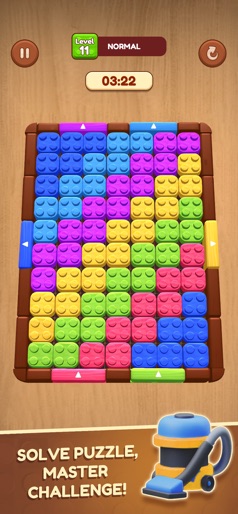
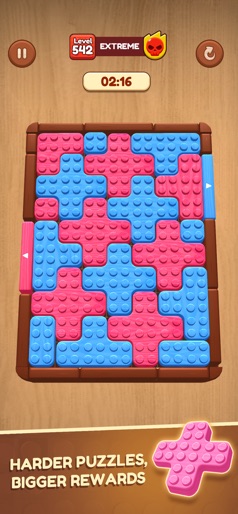
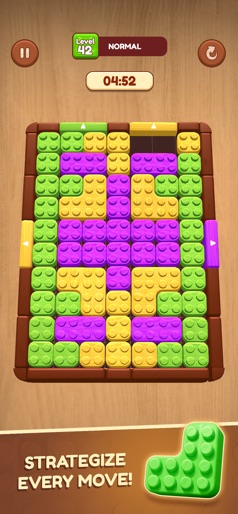
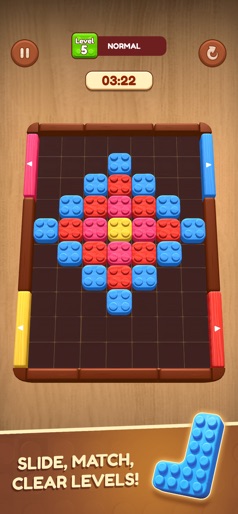


Design Analysis
Visual Design
Style: Custom
Key Features Shown
- •Timed puzzles
- •Difficulty tiers (Normal, Extreme)
- •Power-ups (Vacuum, Time Freeze)
- •Unique block shapes (L-shape, Cross-shape)
App Insights
Target: Casual puzzle gamers looking for short-session brain training and logic challenges.
- •In-App Purchases (Boosters, Lives, Ad-removal)
- •In-App Advertising (Interstitial ads after every level, Rewarded video for boosters/lives)
ASO Keywords:
About Wooden Slide: Block Escape
Wooden Slide: Block Escape brings you a fun and brain-teasing challenge with a fresh wooden puzzle twist. The board is packed with blocks of different shapes and colors, and your mission is to slide them into the right path to escape. Sounds simple? Think again—every move must be planned carefully to clear the way. As you move up through the levels, puzzles become more complex with tighter spaces, tricky block layouts, and challenging paths that test your logic and strategy. Each slide matters, and one wrong move could block your escape. To help you on the toughest stages, you can unlock powerful boosters. Freeze time for an extra moment to think, smash through obstacles with a hammer, or use special tools to clear multiple blocks at once. These boosts give you the edge when the puzzle feels impossible. With smooth wooden textures, satisfying slide mechanics, and an endless variety of puzzles, Wooden Slide: Block Escape is both relaxing and addictive. It’s the perfect game to train your brain while having fun. Can you master every escape? Download now and start sliding your way to victory!
Create screenshots like Wooden Slide: Block Escape
Use FlyerBanana's free editor to create professional App Store screenshots inspired by Wooden Slide: Block Escape's design. 100+ templates, device frames, and one-click export.










