
App Store Screenshots (7)




Design Analysis
Visual Design
App Insights
About U Dictionary Translator
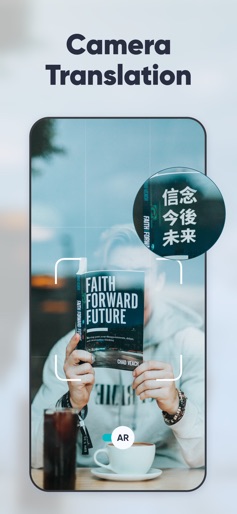
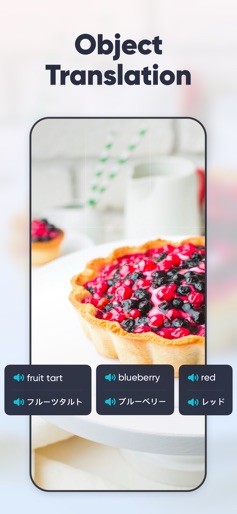
** 100,000,000 users across 150 countries. ** U-Dictionary is an efficient translation and dictionary app. Effortlessly translate texts, pictures, or conversations in 108 languages. Get translation instantly whether you're learning a new language or traveling abroad. Help remove your language barriers anytime anywhere. U-Dictionary takes in originally developed dictionaries, Collins COBUILD Advanced Dictionary, WordNet Dictionary, Bilingual Examples, Native Examples, Synonyms, Antonyms, Etymology Dictionary and so on. FEATURES: • Text Translation: Get translation of any pair within 108 languages. • Voice Translation: Translate bilingual conversations in 33 languages, 47 accents. • Authoritative Dictionary: Built-in Concise Dictionary, Collins Advanced Dictionary and WordNet Dictionary. • Perfect English Pronunciation: Native UK (British) and US (American) accent. Listen and Learn. • Native Examples: Authentic sentences collected from famous international news websites. • English Learning: Rich English learning materials • 13 Display Languages: Read in your native language. • Impressive UI: Clear and beautiful interface. Enjoy your journey. Get UDictionary Premium and enjoy: • Camera Translation: Snap to translate without typing by hand. 100 languages are available. • Translate Keyboard: Write and translate instantly within your favorite apps. Chat without borders. • Object Translation: Scan an object and recognize it smartly. Get to know anything around you immediately. • Grammar Check: Enter or paste English text and check it with one click. Enjoy mistake-free writing! • Offline Mode: Free from network limits. Travel abroad without having to pay expensive roaming charges. Desktop/Mobile Web: http://www.u-dictionary.com Articles from Blog: http://udictionaryblog.wordpress.com Contact Us: Connect with us on any of the following Social Media: https://facebook.com/UDictionary/ http://www.youtube.com/c/UDictionary https://plus.google.com/ UDictionary https://twitter.com/Udictionaryforu/ https://instagram.com/udictionaryforu Have queries? Email us at udictionary.help@gmail.com Supported languages for translation: Afrikaans, Albanian, Arabic, Armenian, Azerbaijani, Basque, Belarusian, Bengali, Bosnian, Bulgarian, Catalan, Cebuano, Chichewa, Chinese Simplified, Chinese Traditional, Croatian, Czech, Danish, Dutch, English, Esperanto, Estonian, Filipino, Finnish, French, Galician, Georgian, German, Greek, Gujarati, Haitian Creole, Hausa, Hebrew, Hindi, Hmong, Hungarian, Icelandic, Igbo, Indonesian, Irish, Italian, Japanese, Javanese, Kannada, Kazakh, Khmer, Korean, Lao, Latin, Latvian, Lithuanian, Macedonian, Malagasy, Malay, Malayalam, Maltese, Maori, Marathi, Mongolian, Myanmar (Burmese), Nepali, Norwegian, Persian, Polish, Portuguese, Punjabi, Romanian, Russian, Serbian, Sesotho, Sinhala, Slovak, Slovenian, Somali, Spanish, Sundanese, Swahili, Swedish, Tajik, Tamil, Telugu, Thai, Turkish, Ukrainian, Urdu, Uzbek, Vietnamese, Welsh, Yiddish, Yoruba, Zulu. ----- Auto-Renewable Subscription Terms: * You can cancel the subscription anytime by turning off auto-renewal through your iTunes account settings. This must be done 24 hours before the end of the subscription period to avoid being charged. The cancellation will take effect the day after the last day of the current subscription period, and you will be downgraded to the free service. * Account will be charged for renewal within 24-hours prior to the end of the current period, and identify the cost of the renewal. Privacy Policy: http://inter.youdao.com/cloudfront/vip-pay/privacy.html Terms of Services: http://inter.youdao.com/cloudfront/vip-pay/terms.html
Create screenshots like U Dictionary Translator
Use FlyerBanana's free editor to create professional App Store screenshots inspired by U Dictionary Translator's design. 100+ templates, device frames, and one-click export.










