Tricky Challenge: Mini Games icon

Tricky Challenge: Mini Games

Benno Games

Brain Training
4.7(19.2K ratings)
Free
Create Screenshots Like Tricky Challenge: Mini Games

App Store Screenshots (10)
Tricky Challenge: Mini Games screenshot 1
Tricky Challenge: Mini Games screenshot 2
Tricky Challenge: Mini Games screenshot 3
Tricky Challenge: Mini Games screenshot 4
Tricky Challenge: Mini Games screenshot 5
Tricky Challenge: Mini Games screenshot 6
Tricky Challenge: Mini Games screenshot 7
Tricky Challenge: Mini Games screenshot 8
Tricky Challenge: Mini Games screenshot 9
Tricky Challenge: Mini Games screenshot 10

Design Analysis

Visual Design

Style: Hybrid

Colors:
accent
primary
secondary
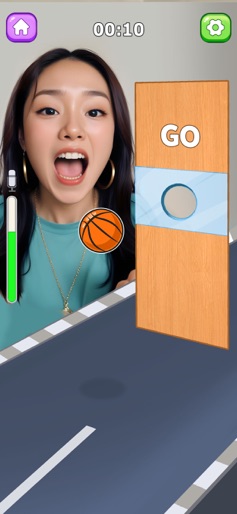
Top-center timerTop-left home buttonTop-right settings buttonProgress bar (vertical)

Key Features Shown

  • Voice control (microphone icon)
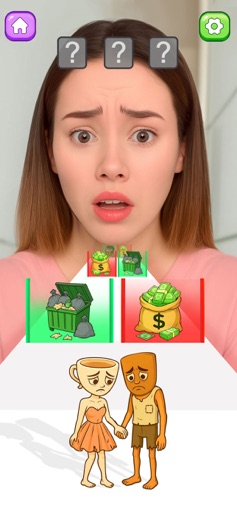
  • Choice-based mechanics
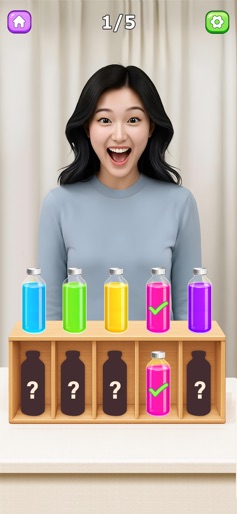
  • Color sorting
  • Reaction-based timing

App Insights

Target: Casual mobile gamers and social media users (TikTok/Reels) interested in viral trends, ASMR, and quick brain teasers.

Monetization:
  • Interstitial ads
  • Banner ads
  • Rewarded video ads

ASO Keywords:

TrickyChallengeMiniGames

About Tricky Challenge: Mini Games

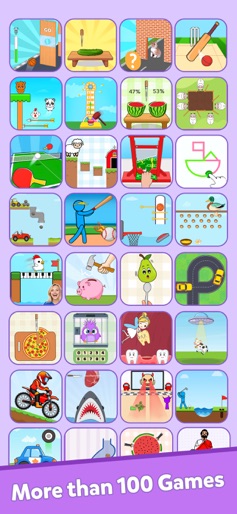
Train your brain with thrilling and challenging tasks that involves creativity, and precision. Dive into viral challenges and put your reflexes, creativity, and precision to the ultimate test with a series of thrilling tasks in color games. Experience the blend of multiple challenges in brain games. IQ test-based challenges are available, try to solve them and be the winner of the challenge in mini-brain puzzle games. Train your brain with updated tricky puzzles and daily challenges in ASMR games. Take the ultimate challenge of all-in-one cool math games and mini-challenge games. Get ready for the brain test IQ in drawing games all in one place. HOW TO PLAY:- - Tap, tap and tap to overcome each challenge - Test your reflexes, creativity, and precision skills - Achieve high scores and unlock more challenges

Create screenshots like Tricky Challenge: Mini Games

Use FlyerBanana's free editor to create professional App Store screenshots inspired by Tricky Challenge: Mini Games's design. 100+ templates, device frames, and one-click export.


More Brain Training Apps

View all

Frequently Asked Questions

How can I create screenshots like Tricky Challenge: Mini Games?
You can create App Store screenshots inspired by Tricky Challenge: Mini Games using FlyerBanana's free screenshot editor. Choose from 100+ templates, customize colors, text, and device frames, then export in all required sizes.
What screenshot sizes does Tricky Challenge: Mini Games use?
Tricky Challenge: Mini Games uses standard App Store screenshot sizes including 6.7" (1290×2796px), 6.5" (1284×2778px), and 5.5" (1242×2208px) for iPhones. FlyerBanana supports all required sizes with one-click export.
Can I use Tricky Challenge: Mini Games's screenshot style for my app?
Yes! While you shouldn't copy screenshots directly, you can use Tricky Challenge: Mini Games's design patterns as inspiration. FlyerBanana's templates let you create professional screenshots with similar layouts, color schemes, and visual styles.
What makes good Brain Training app screenshots?
The best Brain Training app screenshots clearly showcase key features, use consistent branding, include compelling copy, and follow App Store guidelines. Browse our Brain Training inspiration gallery to see what top apps do well.