Spot it: Find the Difference icon

Spot it: Find the Difference

Arclite Systems

Brain Training
4.3(70.5K ratings)
Free
Create Screenshots Like Spot it: Find the Difference

App Store Screenshots (15)

Spot it: Find the Difference screenshot 1
Spot it: Find the Difference screenshot 2
Spot it: Find the Difference screenshot 3
Spot it: Find the Difference screenshot 4
Spot it: Find the Difference screenshot 5
Spot it: Find the Difference screenshot 6
Spot it: Find the Difference screenshot 7
Spot it: Find the Difference screenshot 8
Spot it: Find the Difference screenshot 9
Spot it: Find the Difference screenshot 10
Spot it: Find the Difference screenshot 11
Spot it: Find the Difference screenshot 12
Spot it: Find the Difference screenshot 13
Spot it: Find the Difference screenshot 14
Spot it: Find the Difference screenshot 15

Design Analysis

Visual Design

Style: Custom

Colors:
accent
primary
secondary
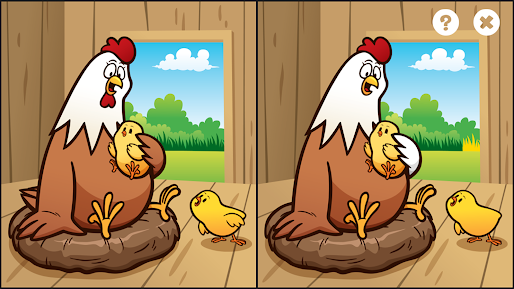
Split-screen layoutTop-right action buttonsNo visible timer

Key Features Shown

  • Side-by-side comparison
  • Hint system (Question mark icon)
  • Level exit functionality
  • Cartoon art style

App Insights

Target: Parents looking for educational/perceptual games for toddlers and young children, and casual puzzle gamers.

Monetization:
  • Ad-supported (Interstitial, Reward videos)
  • In-app purchases (Ad-removal)

ASO Keywords:

Spot itFind the Difference

About Spot it: Find the Difference

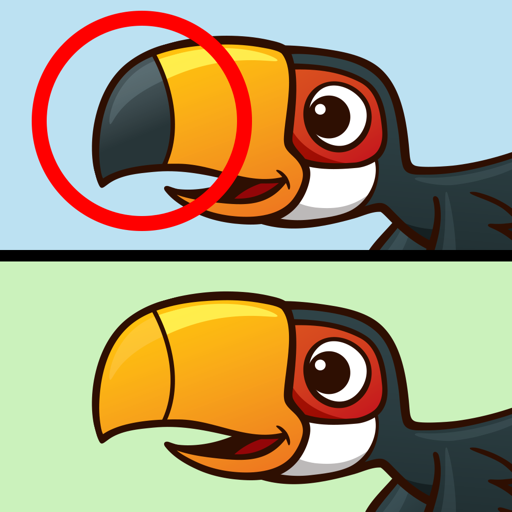
"Spot it" is a simple pattern recognition game It is a type of puzzle where kids must find 5 differences between two otherwise similar images! • Award-winning game of visual perception for the whole family • Develops focus, visual perception skills, and fine motor skills • This photo hunt game is toddler tested * Beautiful pictures * Addictive game play that is fun for everyone! Now let's play this new game! Privacy policy : https://sites.google.com/view/tiny-privacy-policy/home

Create screenshots like Spot it: Find the Difference

Use FlyerBanana's free editor to create professional App Store screenshots inspired by Spot it: Find the Difference's design. 100+ templates, device frames, and one-click export.


More Brain Training Apps

View all

Frequently Asked Questions

How can I create screenshots like Spot it: Find the Difference?
You can create App Store screenshots inspired by Spot it: Find the Difference using FlyerBanana's free screenshot editor. Choose from 100+ templates, customize colors, text, and device frames, then export in all required sizes.
What screenshot sizes does Spot it: Find the Difference use?
Spot it: Find the Difference uses standard App Store screenshot sizes including 6.7" (1290×2796px), 6.5" (1284×2778px), and 5.5" (1242×2208px) for iPhones. FlyerBanana supports all required sizes with one-click export.
Can I use Spot it: Find the Difference's screenshot style for my app?
Yes! While you shouldn't copy screenshots directly, you can use Spot it: Find the Difference's design patterns as inspiration. FlyerBanana's templates let you create professional screenshots with similar layouts, color schemes, and visual styles.
What makes good Brain Training app screenshots?
The best Brain Training app screenshots clearly showcase key features, use consistent branding, include compelling copy, and follow App Store guidelines. Browse our Brain Training inspiration gallery to see what top apps do well.