

App Store Screenshots (4)
Design Analysis
Visual Design
Style: iOS Native
Key Features Shown
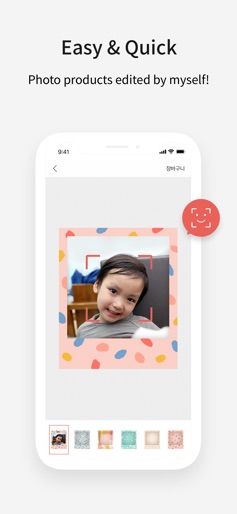
- •Photo editing with frames
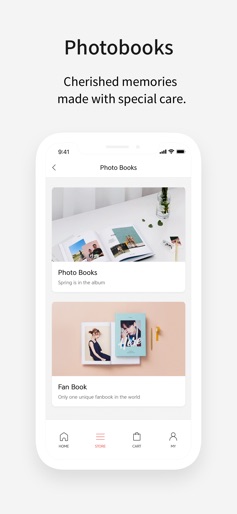
- •Product category browsing
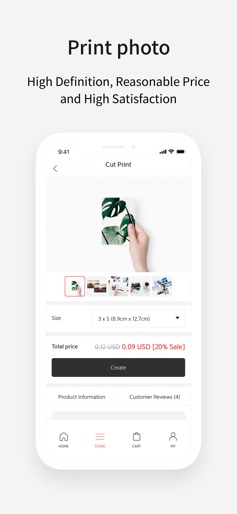
- •Price transparency with discounts
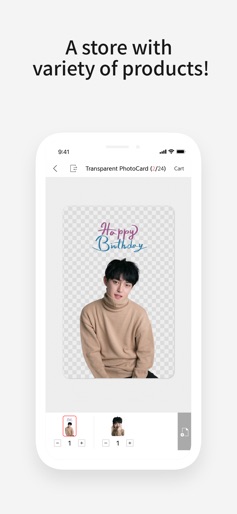
- •Transparent photocard creation
App Insights
Target: Gen Z and Millennial hobbyists, K-pop fans (fandom culture), parents looking for memory preservation, and gift-shoppers seeking personalized items.
- •Physical product sales
- •Bulk printing orders
- •Customized merchandise
ASO Keywords:
About SNAPS-photobook, photo, print
High-quality photo products made with smartphone photos! Our service uses the best quality equipment in the industry! "With our focus on excellent products, Snaps spares no expense on equipment or quality." [New Arrivals] Photocards (24pcs) - Unique photocards made by me! Wallet photo - Print two photos in a set, perfectly fit for your wallet. [Prints] High-quality photo printing optimized for smartphone photos! Tailored to print smartphone photos! Offered in 5 versatile sizes. Premium class photo paper with high-definition resolutions to render rich colors. [Photo Printing Package Products] The "Wooden Block + Printing" offers 12 photos in a single package. The "Square Printing Package" contains 20 memories in a single rectangular package. A "Postcard Package" to be sent to all your friends. The "Removable Kit" can be easily attached and removed anywhere. The "Polaroid Printing Package" has the same look and feel of Polaroid photos. [Photo Books] A photobook which can be made easily and quickly with the photos on a smartphone! It only takes a minute! Can be made by anyone. "Choose between strong and solid PUR binding (high quality glossy/matte paper) or the ""lay flat"" style which can be opened to 180 degrees." [SNS Photobooks] Make a photobook unique to you, directly from services such as Instagram. Choose which dates to print from and the photobook is completed in just 5 minutes! [Calendars] If only smartphone photos are selected, a photo calendar can be easily completed for one happy year! Choose any starting month. [Frames] Add special meaning to each space! Snaps frames. The interior frames can be decorated a variety of styles. High-quality solid wood frames made from eco-friendly timber from Northern Europe. The thinnest 1.1mm metal frames that shine splendidly! [Cards] Deliver a special message to your friends and family. [Gift Products] If you are looking for unique products, check out the recommended gifts. Photo products containing unique memories that cannot be found anywhere else. "Easily and conveniently access many different products offered through the Snaps application, from photobooks to the best quality photo printing." [Queries] E-mail address: snaps@snaps.com
Create screenshots like SNAPS-photobook, photo, print
Use FlyerBanana's free editor to create professional App Store screenshots inspired by SNAPS-photobook, photo, print's design. 100+ templates, device frames, and one-click export.











