

App Store Screenshots (8)


Design Analysis
Visual Design
Style: Custom
Key Features Shown
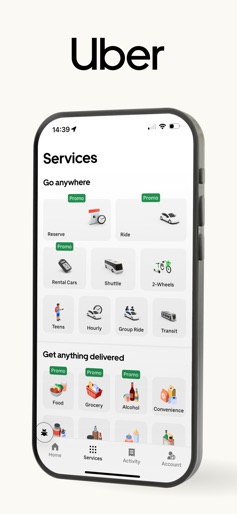
- •Service Selection (Rides, Eats, Rentals)
- •Live Map Tracking
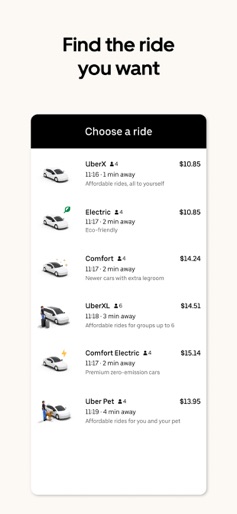
- •Product Tier Comparison
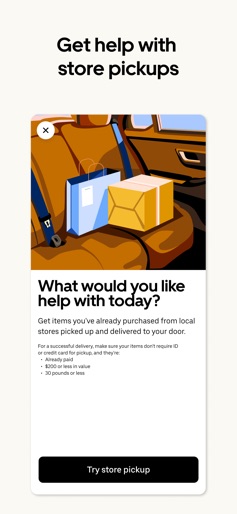
- •Store Pickup Service
- •Diamond Benefit Upgrades
App Insights
Target: Urban commuters, international travelers, and individuals requiring on-demand logistics or food delivery without personal vehicle ownership.
- •Service fees per ride
- •Delivery fees
- •Subscription (Uber One)
- •Lead generation for third-party taxis
- •Advertising (Uber for Business)
ASO Keywords:
About Uber - Request a ride
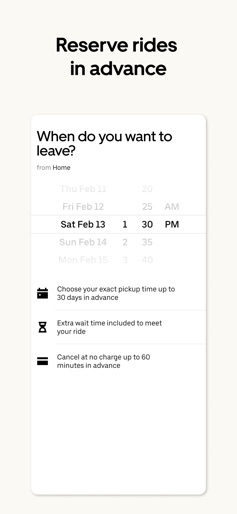
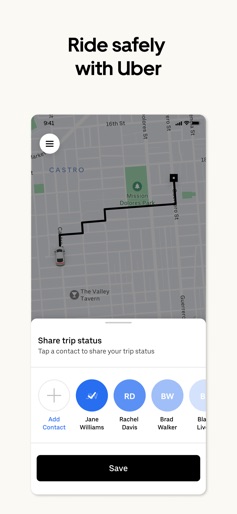
Join the millions of riders who trust Uber for their everyday travel needs. Whether you’re running an errand across town or exploring a city far from home, getting there should be easy. FIND THE RIDE YOU WANT Find the perfect ride right at your fingertips! Uber is here to make your journey stress-free and enjoyable. Pick from a wide range of products that the Uber app has to offer including: - UberX: Affordable rides, all to yourself - Electric: Eco-Friendly - UberXL: Affordable rides for groups up to 6 - Comfort: Newer cars with extra legroom - Comfort Electric: Premium zero-emission cars - Uber Pet: Affordable rides for you and your pet - Black: Luxury rides with professional drivers - Taxi: You now have the option to request a cab or a taxi on demand using Uber in select cities - 2-wheels: Find a scooter to start riding roday UPFRONT PRICING With Uber, you no longer need to worry about hidden costs or unexpected surprises. As you enter your destination in the app, you get upfront pricing and the estimated time of arrival. SAFETY TOGETHER Safety is a top priority at Uber. We have established comprehensive safety features to help ensure every rider and driver feels secure and comfortable. AFFORDABLE PRICING We’re doing all we can to make our pricing as transparent as possible. - UberX Share: UberX Share connects you to other riders headed in the same direction. - Group Rides: Share the journey with friends. - Split Fare: Don’t worry about doing the math later—split the cost evenly while you’re still on the ride. JOIN UBER ONE FOR EXCLUSIVE PERKS Benefit from $0 Delivery Fee and up to 10% off eligible delivery and pickup orders, 6% Uber Cash back on eligible rides and a $5 credit if our Latest Arrival Estimate on your order is off. Other fees & terms apply. For more details see uber.com/uberone. RESERVE RIDES IN ADVANCE Need a ride at a specific time? No problem! Uber allows you to reserve rides in advance, so you can plan your day with confidence. GO GREEN Uber is committed to building a sustainable future for our cities. With a growing fleet of electric and hybrid vehicles, you can choose eco-friendly rides to reduce your carbon footprint. RENT CARS AND HAVE THEM DELIVERED TO YOU Whether you need a car today or later, the online booking experience will help you find the right vehicle for a family vacation, a weekend getaway, airport travel, and more. You can have a rental car delivered to your door at the time and location of your choice with Valet, currently available in select cities. MORE FEATURES Delivery: Order food from your favorite restaurants through Uber Eats. Stock up on groceries, shop pharmacy, convenience and pet supplies and get them all delivered. Uber Connect: an easy, same-day, no-contact delivery solution that allows people to send items whether it’s a care package for a loved one or an item you sold online. Transit: Say goodbye to complicated time schedules, hectic transfers, and unexpected waits while reducing your trip’s emissions. Uber Charter: Book high-capacity group rides in vehicles seating 14-55 passengers, such as limo buses, luxury vans, and coach buses. 2-Wheels: Did you know you can also bike or ride a scooter with the Uber app? Uber for Business: Manage and track business travel, meal programs, and more on one dashboard. Uber Hourly: Keep a car and driver with you for hours. Uber Car Seat: Uber Car Seat provides one forward-facing car seat for a child who is at least 2 years old, 22 pounds, and 31 inches tall. Get Started Now! Download the Uber app and create an account today. Uber is available in the following cities: Boston, DC, LA, New York, San Francisco, Vegas, Orlando, Chicago and more. Check if Uber is available in your city at https://www.uber.com/cities. Stay updated on the latest news, promotions, and offers by following us on Twitter at https://twitter.com/uber and liking us on Facebook at https://www.facebook.com/uber.
Create screenshots like Uber - Request a ride
Use FlyerBanana's free editor to create professional App Store screenshots inspired by Uber - Request a ride's design. 100+ templates, device frames, and one-click export.











