

App Store Screenshots (6)



Design Analysis
Visual Design
App Insights
About Piano - music & songs games
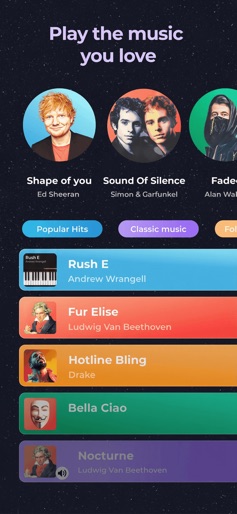
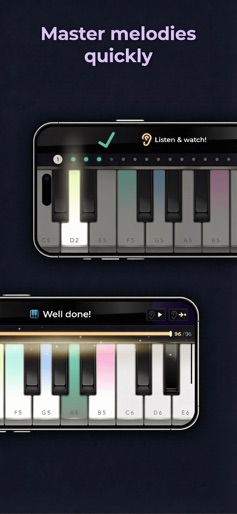
Turn your iPhone or iPad into a piano and learn your favorite songs in minutes! No experience required. Discover a fun, new way to master the keyboard. Skip the boring theory and start playing. Learn by ear, build your memory, and improve your rhythm, all at your own pace. Why You'll Love It: • Learn piano by watching and repeating real songs. • Train your musical ear by tapping the correct notes. • Play at your own pace, anytime, anywhere. Game Mode Features: • Play famous hits and classic songs with an ultra-realistic piano. • Challenge yourself with hundreds of levels created by musicians. • Improve your rhythm and aim for perfect scores. • Experience the thrill of a concert with orchestra mode. Play Your Favorite Songs: Our catalog is updated weekly with popular hits and timeless classics, including: • Sound of Silence by Simon and Garfunkel • Another Love by Tom Odell • Despacito by Luis Fonsi • Rush E • Hotline Bling by Drake • Shape Of You by Ed Sheeran Unleash Your Creativity: Play freely on a realistic keyboard simulator. Choose from different instrument sounds. Key Features: • Learn mode and game mode. • Ultra-realistic piano keyboard sounds. • Levels to improve your rhythm. • Concert mode for an immersive orchestra experience. • A catalog updated every week. • Grand Piano, Vintage Piano, Electric Piano, Church Organ, and Harpsichord. • Metronome & Time signature. Ready to become a piano maestro? Download now! Privacy Policy & Terms of Uses: https://musicworldmedia.com/products/piano-keyboard/tos
Create screenshots like Piano - music & songs games
Use FlyerBanana's free editor to create professional App Store screenshots inspired by Piano - music & songs games's design. 100+ templates, device frames, and one-click export.










