

App Store Screenshots (9)




Design Analysis
Visual Design
App Insights
About Notewise - AI Notes, PDF, Docs
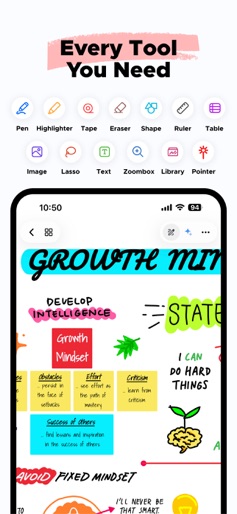
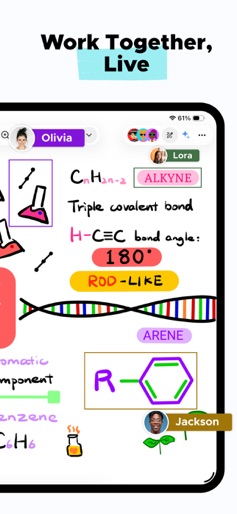
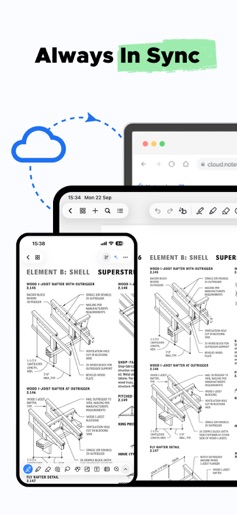
Award-winning note-taking for iPad & iPhone. Apple Design Award nominee (2025). Featured on the App Store: “Great apps for iPadOS 26.” Notewise is the future of note-taking on iOS. Whether you’re sketching diagrams, annotating PDFs, journaling ideas, or building a second brain—Notewise gives you a freeform canvas that feels like pen and paper, supercharged by AI. With Notewise, you don’t just take notes. You create good notes—searchable, flexible, and future-proof. ■ AI Superpowers for Your Notes • Chat with your notes: ask questions, summarize content, and review key ideas • Auto-generate guided podcasts from your writing • Highlight anywhere—typed or handwritten—and ask context-aware questions • OCR handwriting, scans, and images in 20+ languages • Turn messy scribbles into instantly searchable, good notes No data selling. No creepy analytics. ■ Handwriting That Feels Like Magic • Ultra-low-latency writing with reliable palm rejection • Pressure-sensitive pens and smooth highlighters • Natural stroke stabilization and smart shape assist Perfect for class notes, planners, whiteboards, and wireframes—it just works with Apple Pencil. ■ Tools Built for Power Users Pen, Highlighter, Eraser, Lasso, Tape, Shape, Textbox, Image, Audio Recorder, Table, Zoombox, Ruler, Laser Pointer. • Fast, fluid, and purpose-built so your good notes keep up with your thinking ■ AI OCR: Your Handwriting, Now Searchable • Extract text from handwritten notes, scans, or imported PDFs • Find formulas, quotes, or action items in seconds • Multilingual support for learners, researchers, and teams • Works across lectures, worksheets, research, and more ■ Organize with Confidence • Unlimited folders, tags, and sorting options • Pin recent notes, merge content, reorder pages • Bulk import/export with smart file handling • Color-code and customize your library ■ Sync, Collaborate, Share • Real-time collaboration in shared notebooks • Seamless sync across iPad, iPhone, Web and other platforms. • Offline-first with automatic cloud sync • Share via link, QR code, or export to PDF/image ■ Privacy-First by Design We’re a small, independent team. We don’t sell your data. We don’t show ads. Your notes are encrypted, secure, and under your control. • Choose one-time purchase or subscription • Notewise Cloud unlocks sync, AI, OCR, and collaboration • Use core features for free—forever No paywall for basics. No lock-in. ■ Always Getting Better We ship fast. Recent additions include: • Redesigned UI with adaptive, iPad-first layout • Tape tool to hide and reveal content • Tabbed navigation, note linking, shape editing • Tables, richer image tools, audio export • Recycle bin, page rotation, and more ■ Take Good Notes Only Notewise is built for thinkers, tinkerers, students, educators, designers, and builders of all kinds. Whether you’re diagramming an idea, revising a lecture, or designing your own productivity system—Notewise adapts to how you think. If you’re searching for a good notes app for iPad, a good notes tool for PDF annotation, or a good notes experience for students and teachers—try Notewise. Download Notewise for free today and experience note-taking that works like code: fast, indexable, and smart. Privacy policy: https://www.notewise.dev/privacy-policy Terms & conditions: https://www.notewise.dev/terms-conditions
Create screenshots like Notewise - AI Notes, PDF, Docs
Use FlyerBanana's free editor to create professional App Store screenshots inspired by Notewise - AI Notes, PDF, Docs's design. 100+ templates, device frames, and one-click export.










