

MindPal - Brain Training Games
Elektron Labs Inc.
Create Screenshots Like MindPal - Brain Training GamesApp Store Screenshots (9)




Design Analysis
Visual Design
App Insights
About MindPal - Brain Training Games
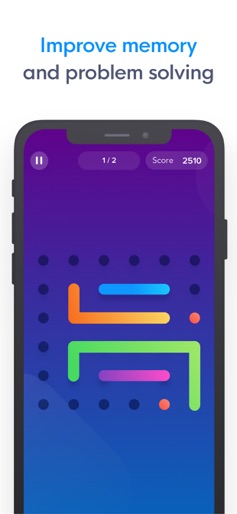
Join over 8 million users! MindPal is your daily brain trainer that challenges your memory, attention, language, and problem solving skills. Enjoy a personalized daily workout of entertaining games based on the skills you'd like to improve. MindPal includes 40 educational games that train 7 key cognitive areas: Memory, Attention, Language, Math, Flexibility, Speed, and Problem Solving. Track your progress and compare your brain scores with others now! FEATURES - Over 40 games and 1000 levels to train your brain in different skills. - Personalized daily workout based on your training goals. - Expand your vocabulary and writing skills with word games. - Improve your memory, attention, math, and problem solving skills. - Track your performance and get smarter everyday! - Get in-depth insights and compare your scores to other users. MINDPAL PRO MindPal is free to use, but you can get even more from your brain training by upgrading to a Premium training program. MindPal Pro offers unlimited access to all games and advanced insights into your brain’s performance. MINDPAL PRO PRICING & TERMS For MindPal Pro upgrades, we offer the following subscriptions: 1 month: $7.99 1 year: $39.99 Lifetime: $99.99 * Prices displayed are in USD, actual charges might be converted to local currency depending on your country of residence. Payment will be charged to your iTunes account at confirmation of purchase. Subscription automatically renews unless auto-renew is turned off at least 24 hours before the end of the current period. Account will be charged for renewal within 24 hours of the end of the current period, and the cost of the renewal will be provided. Subscriptions may be managed by the user. Auto-renewal may be turned off by going to the user’s Account Settings after purchase. No cancellation of the current subscription is allowed during active subscription period. Any unused portion of a free trial period, if offered, will be forfeited when the user purchases a subscription to that publication. For more information: Terms of Use - http://www.mindpalapp.com/terms Privacy Policy - http://www.mindpalapp.com/privacy
Create screenshots like MindPal - Brain Training Games
Use FlyerBanana's free editor to create professional App Store screenshots inspired by MindPal - Brain Training Games's design. 100+ templates, device frames, and one-click export.










