
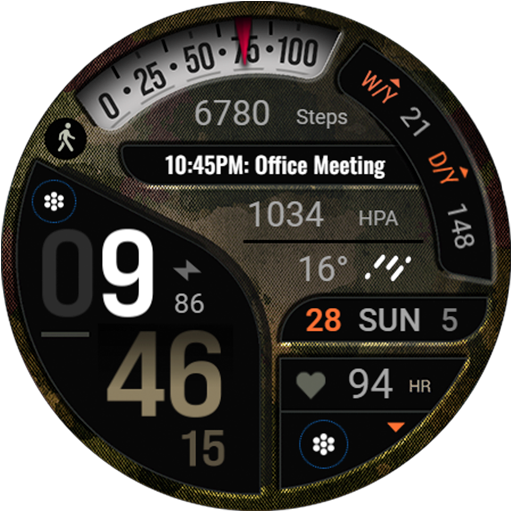
Military Classic - Army - RE23
RECREATIVE Watch Faces
Create Screenshots Like Military Classic - Army - RE23App Store Screenshots (15)


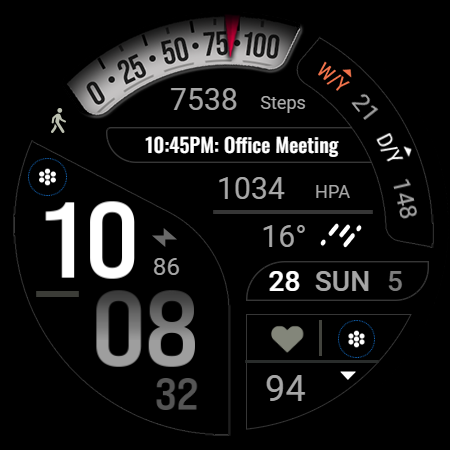
Design Analysis
Visual Design
Style: Custom
Key Features Shown
- •Customizable Complications
- •Progress Bars for Steps/Battery
- •Always On Display (AOD) Modes
- •Heart Rate Integration
- •12/24h Format Support
App Insights
Target: Wear OS smartwatch users who prefer masculine, tactical, or military-inspired aesthetics and high data density.
- •Mobile app advertisements
- •Lead generation for other paid watch faces
ASO Keywords:
About Military Classic - Army - RE23
If you've always been fond of objects that mimic military or army attire, this watch face is perfect for you. It features a masculine style that encompasses various customizations, textures, and camouflage patterns that imitate the colors of nature. Digital Watch Face for Wear Os Powered by Watch Face Format ⚙️ Phone App Features The phone app is simply a tool to facilitate installation and locating the watch face on your Wear OS watch. Only the mobile app contains ads. ⚙️ Watch Face Features • 12/24h Digital Time • Date • Battery • Heart rate • Customizable Progress Bar - Steps & Battery • Week/Year • Day/Year • 2 customizable Shortcut • 4 customizable Complications • Color Variations • Always ON Display 🎨 Customization 1 - Touch and hold display 2 - Tap on Customize option 🎨 Complications Touch and hold display to open customization mode. You can customize the field with any data you want. 🔋 Battery For better battery performance of the watch, we recommend disabling the "Always On Display" mode. ✅ Compatible devices include API level 33+ Google Pixel, Galaxy Watch 4, 5, 6, 7 and other Wear OS models. Installation and troubleshooting Follow this link: https://www.recreative-watch.com/help/#installation-methodes Watch faces don't automatically apply on your watch screen after the installation. That's why you must set it on your watch's screen. 💌 Write to support@recreative-watch.com for assistance.
Create screenshots like Military Classic - Army - RE23
Use FlyerBanana's free editor to create professional App Store screenshots inspired by Military Classic - Army - RE23's design. 100+ templates, device frames, and one-click export.











