
App Store Screenshots (7)



Design Analysis
Visual Design
App Insights
About Marco Polo - Video Messenger
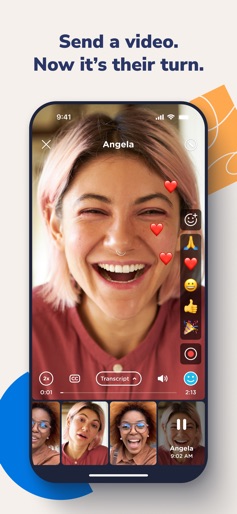
Marco Polo is the video chat app that brings you closer to the people who matter most without asking you to compromise on trust. ONE VIDEO IS WORTH A THOUSAND TEXTS Communicate face-to-face in a private, ad-free space with no interruptions or intrusions. This award-winning video chat app isn’t social media. There are no “likes” or comparisons, and there are no tricks to keep you on the app for longer than you wish. SIMPLE, CONVENIENT, ANYTIME CONNECTION Send a video. Get one back. Talk one-on-one or in groups. Continue the conversation on your own schedule. YOU DON’T HAVE TO COMPROMISE ON TRUST Our purpose? To help people feel close. To fulfill it, Marco Polo does things differently. We monetize responsibly. The Marco Polo Plus subscription plan allows us to make money in a way that’s true to our purpose – no ads, no selling your data – while maintaining a free service for the majority of our community. We hold ourselves accountable. Earning your trust is vital to our team, from the technology we create to the business decisions we make. We measure our impact. Does our product deliver on our promise and our purpose? Does it make people happier? Research indicates yes, and we commit to conducting this research regularly to ensure we stay on track. CHOOSE THE VERSION THAT FITS YOUR LIFE Marco Polo is FREE, with: Unlimited chats and groups Emoji reactions and fun special effects Sharecast, our newest feature. Send one video to everyone in your circle, and only you see reactions and replies. It’s the convenience of groups with no cross-conversations. Marco Polo Plus offers premium features including: 1.5-3x speed control Background listening Custom and animated emojis 6 Plus Passes so you can share 2 months free with friends and family Marco Polo Plus Family Save with up to six memberships with one plan. Plus Family is not limited to members within one household. - Payments are charged to the user's Apple ID account at confirmation of purchase. - Subscriptions automatically renew unless the user cancels at least 24 hours before the end of the current period. - The account is charged for renewal within 24-hours before the end of the current period. - Users can manage and cancel subscriptions in their account settings on the App Store. Terms of Service: https://www.marcopolo.me/terms/
Create screenshots like Marco Polo - Video Messenger
Use FlyerBanana's free editor to create professional App Store screenshots inspired by Marco Polo - Video Messenger's design. 100+ templates, device frames, and one-click export.











