

App Store Screenshots (9)





Design Analysis
Visual Design
App Insights
About JusTalk Kids - Safe Messenger
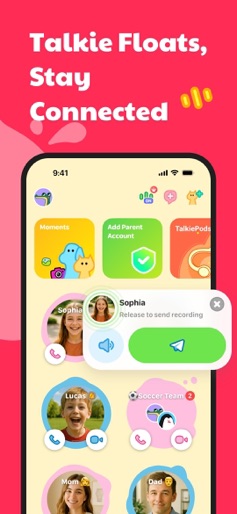
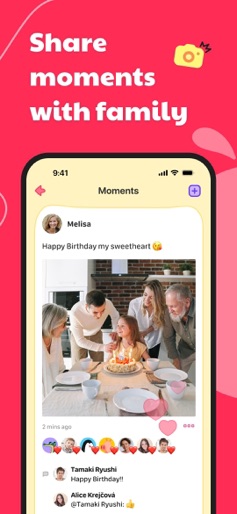
JusTalk Kids is a kid-friendly voice and video calling and instant messaging app designed to keep children safely connected with family, friends, and classmates. All communications are end-to-end encrypted to ensure privacy and protection from strangers or inappropriate content. Beyond chat and calls, JusTalk Kids offers fun, creative tools like educational videos, a doodle board, and a text editor to encourage imagination and learning — all in a safe digital space. Key Features • Parent-Approved Friend Management Children can only add friends with parental approval. Parents receive instant notifications for all friend requests and can easily approve or reject them — ensuring kids only connect with trusted contacts. • Safe Voice & Video Calling JusTalk Kids supports high-quality 1-on-1 and group voice/video calls with features like call recording, real-time doodling, and interactive games — making conversations fun and meaningful, even at a distance. • Walkie Talkie (Push-to-Talk) Send quick voice messages instantly by pressing and holding — no call needed. A fun, hands-free way for kids to stay in touch with friends and family. • Smart Content Monitoring Sensitive images or videos are automatically flagged and blocked. Parents are notified and can review the content to decide what’s appropriate, helping children safely navigate online communication. • JusTalk Parent Account Manage your child’s app remotely: approve friends, monitor activity, and customize settings — all from your own JusTalk app. • Creative Messaging & Sharing Kids can send text, photos, voice messages, GIFs, drawings, stickers, and more. They can also share life moments by posting creations like art, stories, and music — all within a safe, closed environment. • Educational Content on Kidstube Explore a growing library of kid-friendly videos including science experiments, crafts, and learning activities — curated to spark curiosity in a safe, ad-free space. • Full Privacy & Data Protection Every message and call is encrypted. JusTalk Kids never shares your child’s personal data and gives parents full control over app access and content exposure. Terms of Service: https://kids.justalk.com/terms.html Privacy Policy: https://kids.justalk.com/privacy.html We’d love to hear from you! Contact us at: kids@justalk.com *Data charges may apply. Please check with your mobile provider.
Create screenshots like JusTalk Kids - Safe Messenger
Use FlyerBanana's free editor to create professional App Store screenshots inspired by JusTalk Kids - Safe Messenger's design. 100+ templates, device frames, and one-click export.











