Hybrid Calisthenics - Fitness icon

Hybrid Calisthenics - Fitness

Hybrid Calisthenics

Education
4.8(1.4K ratings)
Free
Create Screenshots Like Hybrid Calisthenics - Fitness

App Store Screenshots (8)

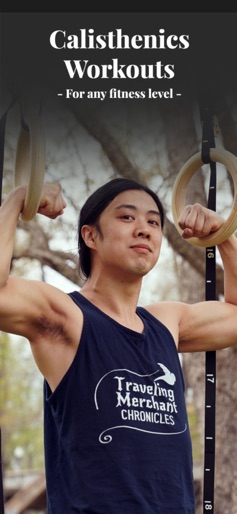
Hybrid Calisthenics - Fitness screenshot 1
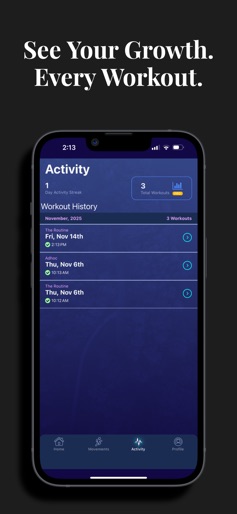
Hybrid Calisthenics - Fitness screenshot 2
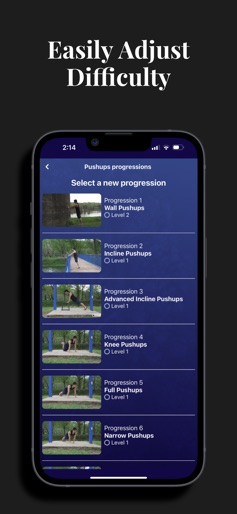
Hybrid Calisthenics - Fitness screenshot 3
Hybrid Calisthenics - Fitness screenshot 4
Hybrid Calisthenics - Fitness screenshot 5
Hybrid Calisthenics - Fitness screenshot 6
Hybrid Calisthenics - Fitness screenshot 7
Hybrid Calisthenics - Fitness screenshot 8

Design Analysis

Visual Design

App Insights

About Hybrid Calisthenics - Fitness

This is the official Hybrid Calisthenics app built for home workouts. It’s designed to make getting fit at home simple. Whether you're brand new or just returning to exercise, it guides you through exactly what to do: what exercises to start with, how many reps to complete, when to rest, and when you're ready to progress. It’s adjustable to your fitness level so you can get started on your daily and weekly workouts today! You just focus on the exercises and log your reps—the app calculates everything else. - Home workouts designed for real results. - Helps build strength, increase mobility, and build muscle—most exercises require no equipment! - Progress from beginner calisthenics to advanced movements naturally. - Covers full-body training: chest, arms, back, legs, core, and more. There's also a Movement Library included, in case you want to explore or quickly reference specific exercises. Terms of Service: https://www.hybridcalisthenics.com/app-toc

Create screenshots like Hybrid Calisthenics - Fitness

Use FlyerBanana's free editor to create professional App Store screenshots inspired by Hybrid Calisthenics - Fitness's design. 100+ templates, device frames, and one-click export.


More Education Apps

View all

Frequently Asked Questions

How can I create screenshots like Hybrid Calisthenics - Fitness?
You can create App Store screenshots inspired by Hybrid Calisthenics - Fitness using FlyerBanana's free screenshot editor. Choose from 100+ templates, customize colors, text, and device frames, then export in all required sizes.
What screenshot sizes does Hybrid Calisthenics - Fitness use?
Hybrid Calisthenics - Fitness uses standard App Store screenshot sizes including 6.7" (1290×2796px), 6.5" (1284×2778px), and 5.5" (1242×2208px) for iPhones. FlyerBanana supports all required sizes with one-click export.
Can I use Hybrid Calisthenics - Fitness's screenshot style for my app?
Yes! While you shouldn't copy screenshots directly, you can use Hybrid Calisthenics - Fitness's design patterns as inspiration. FlyerBanana's templates let you create professional screenshots with similar layouts, color schemes, and visual styles.
What makes good Education app screenshots?
The best Education app screenshots clearly showcase key features, use consistent branding, include compelling copy, and follow App Store guidelines. Browse our Education inspiration gallery to see what top apps do well.