Find Out®:Find Hidden Objects! icon

Find Out®:Find Hidden Objects!

EyeWind

Brain Training
4.6(26.0K ratings)
Free
Create Screenshots Like Find Out®:Find Hidden Objects!

App Store Screenshots (8)
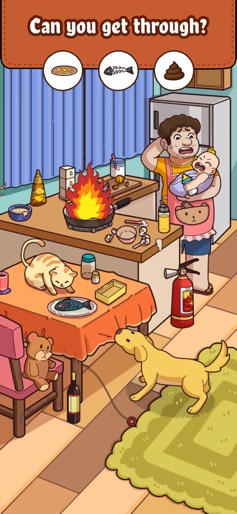
Find Out®:Find Hidden Objects! screenshot 1
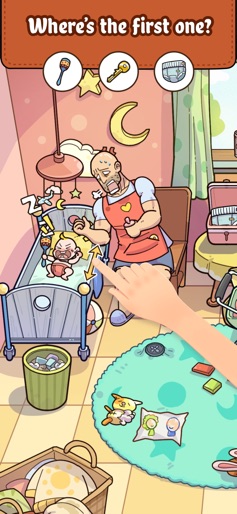
Find Out®:Find Hidden Objects! screenshot 2
Find Out®:Find Hidden Objects! screenshot 3
Find Out®:Find Hidden Objects! screenshot 4
Find Out®:Find Hidden Objects! screenshot 5
Find Out®:Find Hidden Objects! screenshot 6
Find Out®:Find Hidden Objects! screenshot 7
Find Out®:Find Hidden Objects! screenshot 8

Design Analysis

Visual Design

App Insights

About Find Out®:Find Hidden Objects!

Discover the world of hidden treasures with Find Out! This immersive puzzle game will ignite your curiosity, boost your observation skills, and provide endless hours of captivating gameplay. Dive into a rich world of beautifully designed scenes with elusive objects across themes like animals, oceans, and travel. With multiple game modes, Find Out brings excitement to every player. Challenge yourself with time-limited seeks, relax with classic hunts, or enjoy mind-bending puzzles. Each mode offers a unique twist, creating a perfect balance of thrill and relaxation. Enjoy Find Out offline—no connection needed! Play anytime, whether you’re commuting, waiting, or simply relaxing. Beyond entertainment, Find Out boosts cognitive abilities, improving focus, attention to detail, and visual memory with each challenge you complete. Why choose Find Out? Immersive scenes with challenging hidden objects to uncover Multiple game modes tailored for every play style Stunning visuals across diverse themes to keep you engaged Offline play, anytime and anywhere Community connections with players who share your passion Download Find Out today and start your adventure in a world where every hidden object is a new discovery!

Create screenshots like Find Out®:Find Hidden Objects!

Use FlyerBanana's free editor to create professional App Store screenshots inspired by Find Out®:Find Hidden Objects!'s design. 100+ templates, device frames, and one-click export.


More Brain Training Apps

View all

Frequently Asked Questions

How can I create screenshots like Find Out®:Find Hidden Objects!?
You can create App Store screenshots inspired by Find Out®:Find Hidden Objects! using FlyerBanana's free screenshot editor. Choose from 100+ templates, customize colors, text, and device frames, then export in all required sizes.
What screenshot sizes does Find Out®:Find Hidden Objects! use?
Find Out®:Find Hidden Objects! uses standard App Store screenshot sizes including 6.7" (1290×2796px), 6.5" (1284×2778px), and 5.5" (1242×2208px) for iPhones. FlyerBanana supports all required sizes with one-click export.
Can I use Find Out®:Find Hidden Objects!'s screenshot style for my app?
Yes! While you shouldn't copy screenshots directly, you can use Find Out®:Find Hidden Objects!'s design patterns as inspiration. FlyerBanana's templates let you create professional screenshots with similar layouts, color schemes, and visual styles.
What makes good Brain Training app screenshots?
The best Brain Training app screenshots clearly showcase key features, use consistent branding, include compelling copy, and follow App Store guidelines. Browse our Brain Training inspiration gallery to see what top apps do well.