App Store Screenshots (9)




Design Analysis
Visual Design
Style: iOS Native
Key Features Shown
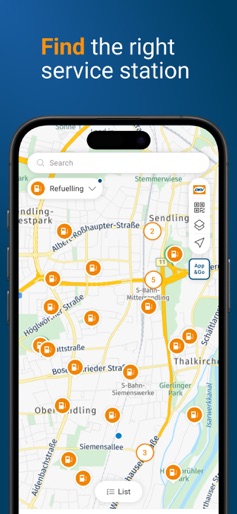
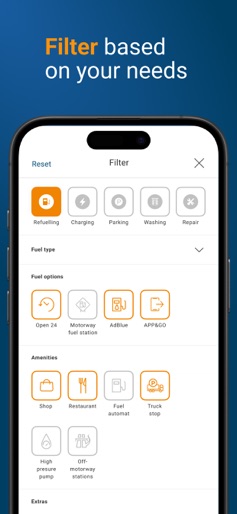
- •Category-based filtering (Refuelling, Charging, Parking)
- •Map-based station discovery
- •Real-time EV charge speed and availability
- •Detailed station filters (Fuel type, Amenities, APP&GO)
- •Digital receipt/payment confirmation
App Insights
Target: Professional fleet drivers, logistics companies, and European EV owners requiring cross-border charging and refueling solutions.
- •B2B Service Fees
- •Transaction Commissions
- •Fleet Management Subscriptions
ASO Keywords:
About DKV Mobility
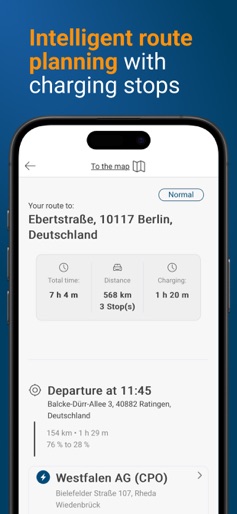
The DKV Mobility App is your practical everyday help. Whether you're looking for DKV Mobility and Novofleet service stations or charging points in Europe or within your neighbourhood area, or whether you want to wash or park your vehicle, or even settle your refuelling bill with your smartphone: Our app is always there to guide you to the desired result in just a few steps. Paying after refuelling directly in your car? The APP&GO feature guides you through the entire refuelling process: from selecting the nearest APP&GO station to authorising payment - the DKV Mobility App remains available to help you save valuable time in your daily routine. Charging your electric vehicle? The new update of the DKV Mobility App not only gives you access to over 66,000 fuel stations, but to also more than 200,000 public charging points in our network. It's easy and is just one click away. Another unique feature is the intelligent route planning, where the DKV Mobility App automatically calculates the best route with optimal charging stops for long distances. Need to find a station quickly? With our new home screen, you have instant access to the station closest to you. You can check the price and start navigation right away. Actively managing time windows in which the DKV CARD can be used? The activation mode "on demand" offers the possibility to activate cards only for the period in which they are used for a transaction. During the rest of the time, the card is inactive, and transactions will be declined. Simply start the 60-minute time window during which fuel can be purchased. After the time has expired, the card is automatically deactivated again. What other benefits does the DKV Mobility App offer? If you need immediate assistance, for example in the event of a breakdown or the loss of your card, the app offers direct dialing to connect you to the helpline. You can find more information about our range of services at https://www.dkv-mobility.com/en/. DKV. You drive, we care.
Create screenshots like DKV Mobility
Use FlyerBanana's free editor to create professional App Store screenshots inspired by DKV Mobility's design. 100+ templates, device frames, and one-click export.