

App Store Screenshots (7)


Design Analysis
Visual Design
App Insights
About DeepL Translate
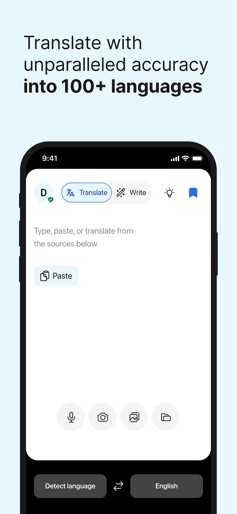
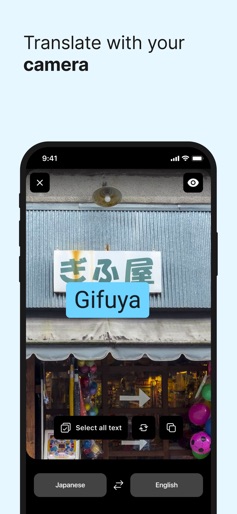
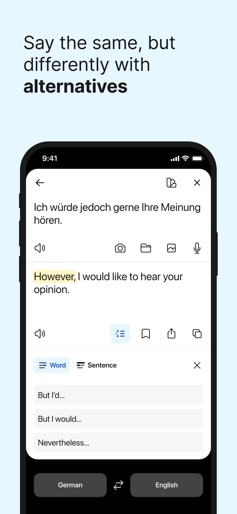
Translate images, speech, documents, and text into 100+ languages with the world’s most accurate AI translator trusted by millions worldwide. - Real-time camera translation: point your camera at text to instantly translate what you see - Photo translation: translate text in taken or imported photos - Dictation: translate what you speak out loud - Text to speech: hear your translated text read out loud - File translation: translate text from files - Quick detection: translations begin as you type - Alternative translations: explore different options for single words and short phrases - Favorites: save words and phrases for future reference - History: easily find, edit, and reuse past translations - Transliteration: read translations of non-Latin languages, such as Japanese or Russian, in the Latin alphabet - Glossary: translate key words and phrases as defined by you or your organization (available with a paid plan) - Tone: choose a formal or informal tone (available with a paid plan) - Handwriting: draw text characters instead of typing (available on iPad) - DeepL Write: get intelligent writing suggestions to help you create clear, error-free, and impactful texts with ease Feature support varies by language. Currently available: Acehnese, Afrikaans, Albanian, Arabic, Aragonese, Armenian, Assamese, Aymara, Azerbaijani, Bashkir, Basque, Belarusian, Bengali, Bhojpuri, Bosnian, Breton, Bulgarian, Burmese, Cantonese, Catalan, Cebuano, Chinese (simplified)*, Chinese (traditional)*, Croatian, Czech, Danish, Dari, Dutch, English (American)*, English (British)*, Esperanto, Estonian, Finnish, French*, Galician, Georgian, German*, Greek, Guarani, Gujarati, Haitian Creole, Hausa, Hebrew, Hindi, Hungarian, Icelandic, Igbo, Indonesian, Irish, Italian*, Japanese*, Javanese, Kapampangan, Kazakh, Konkani, Korean*, Kurdish (Kurmanji), Kurdish (Sorani), Kyrgyz, Latin, Latvian, Lingala, Lithuanian, Lombard, Luxembourgish, Macedonian, Malagasy, Malay, Maithili, Maltese, Maori, Marathi, Mongolian, Nepali, Norwegian (bokmål), Occitan, Pangasinan, Pashto, Persian, Polish, Portuguese*, Portuguese (Brazilian)*, Quechua, Romanian, Russian, Sanskrit, Serbian, Sicilian, Slovak, Slovenian, Spanish*, Spanish (Latin American), Sundanese, Swahili, Swedish, Tagalog, Tajik, Tamil, Tatar, Telugu, Tsonga, Tswana, Turkish, Turkmen, Ukrainian, Urdu, Uzbek, Vietnamese, Welsh, Wolof, Xhosa *Also available for DeepL Write Free to download - access core features without cost! - Enjoy more translation features with a DeepL account - Log in to your organization's team account via SSO - To unlock all features, you may need a DeepL paid plan Terms & Conditions: https://www.deepl.com/app-terms Privacy Policy: https://www.deepl.com/privacy DeepL Support: https://www.deepl.com/support
Create screenshots like DeepL Translate
Use FlyerBanana's free editor to create professional App Store screenshots inspired by DeepL Translate's design. 100+ templates, device frames, and one-click export.










