

App Store Screenshots (8)



Design Analysis
Visual Design
App Insights
About Coin ID: Coin Value Identifier
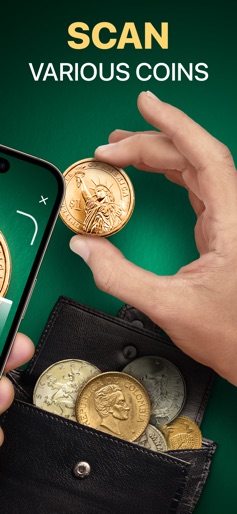
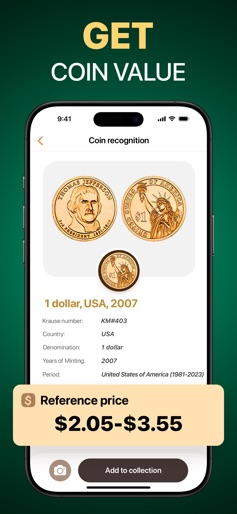
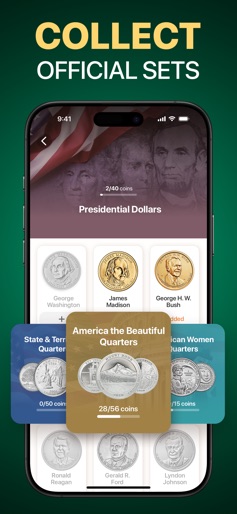
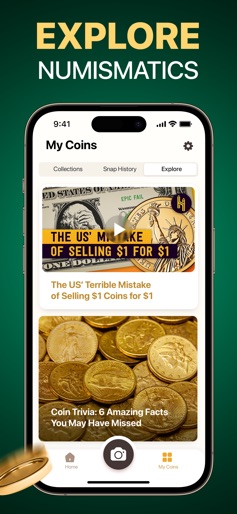
We’re two sides of the same coin. Why? You seem to be passionate about numismatics too! Coin ID will help you keep track of your collection and become a coin expert. Have you always dreamed about an app that would organize your coins for you? Or maybe you want to take up a new non-trivial hobby? Well, meet Coin ID—your guide into the fun world of numismatics! What is Coin ID? Coin Identifier This app works like magic: take two snaps of the obverse and reverse sides of the coin, and boom—our smart AI will find you a match in mere seconds! Coin Guide Learn everything about your coins: their size, composition, weight, year of minting, country of origin, designer, and even fun facts from their history! The app will also tell you the current reference price of each coin to help you understand its value. Who knows, maybe you’re sitting on a fortune? Coin Collection Keep your coins well-organized; add newly identified pieces to your collection to keep track of them at all times. You can create multiple collections to sort your coins in whatever order you like. If you don’t know where to start—try our Official Sets; from State & Territorial Quarters to Presidential Dollars, these sets will get you started and help to channel your inner treasure hunter to collect them all. Why Coin ID? Coin ID has the right tools to make any numismatist happy. It offers: ● Fast and accurate coin recognition ● Extensive information about coins from all over the globe ● Possibility to keep record of added coins ● Tracker of the overall number of coins in your collection ● Up-to-date reference prices ● Ability to create multiple collections of coins ● Interesting facts about coins ● Easy-to-use interface So, what are you waiting for? Discover a new hobby or dive deeper into the world of numismatics to become a coin expert. Coin ID will be at your side on this exciting journey! Subscribe to Coin ID Premium to get unlimited access to all the app’s features: • Subscriptions are billed weekly, monthly, or annually at the rate depending on the subscription plan. • Subscription automatically renews unless auto-renew is turned off at least 24-hours before the end of the current period. All personal data is protected in accordance with the Terms of Use and Privacy Policy: https://aiby.mobi/wtcoin/privacy/ https://aiby.mobi/wtcoin/terms/ For any questions or inquiries, please use our customer support form at https://aiby.mobi/wtcoin/support/
Create screenshots like Coin ID: Coin Value Identifier
Use FlyerBanana's free editor to create professional App Store screenshots inspired by Coin ID: Coin Value Identifier's design. 100+ templates, device frames, and one-click export.










