

Cleanup: Phone Storage Cleaner
DEEP FLOW SOFTWARE SERVICES
Create Screenshots Like Cleanup: Phone Storage CleanerApp Store Screenshots (10)



Design Analysis
App Insights
Target: iPhone users frustrated with 'Storage Almost Full' notifications, non-technical users who want simple one-tap cleanup, and users with older devices (64GB/128GB) struggling with space
- •subscription
- •one-time purchase
- •ads (limited)
ASO Keywords:
About Cleanup: Phone Storage Cleaner
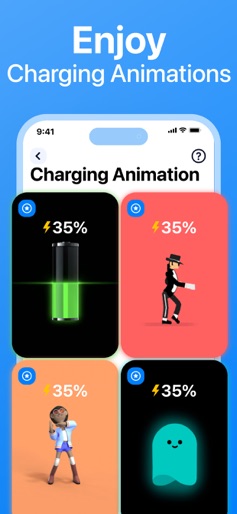
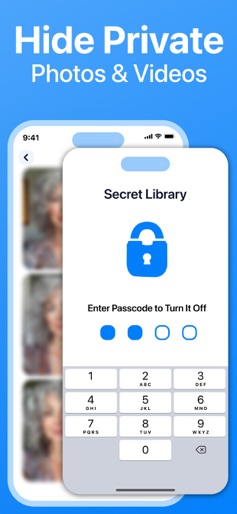
Clean up your iPhone and optimize storage in seconds. Remove duplicate photos, videos, and junk emails. Cleanup helps you clear your camera roll, merge duplicate contacts, compress videos, and organize storage — all in one app. OPTIMIZE STORAGE – FREE UP SPACE WITH ONE TAP Running low on space? Cleanup gives you powerful tools to take control: - Delete duplicate photos and videos - Remove similar screenshots and lookalike videos - Compress large files without losing quality - Clean up spam and promotional emails - Delete unused contacts and tidy up your address book - Free up storage instantly with one tap. CLEAN YOUR GALLERY FAST - DELETE DUPLICATE PHOTOS No more manual browsing. Cleanup makes it easy: - Instantly detect and delete duplicate photos - Smart grouping for similar photos, with “Best” marked - Remove large, lookalike videos - Identify and delete screenshots in bulk EMAIL CLEANER - DECLUTTER YOUR INBOX Declutter your inbox in seconds: - Highlight and remove promo, spam, and unread emails - Clear out junk with one tap CONTACTS CLEANUP Keep your contacts organized and up to date: - Merge duplicates - Remove incomplete or unused entries - View and edit from one place COMPRESS VIDEOS - SAVE SPACE, KEEP QUALITY Save storage without deleting memories: - Compress large files with minimal quality loss - Select exactly which videos to compress CHARGING ANIMATIONS Turn charging into a personal moment with vivid, customizable animations. SECRET SPACE – HIDE WHAT’S PERSONAL Hide personal content in a secure, PIN-protected vault only you can access. WIDGETS Add instant cleanup tools to your Home and Lock Screens: - Battery and storage widgets - Tap to launch cleanup features quickly REVIEW BEFORE YOU DELETE Nothing is removed without your approval. After each cleaning session, you get a final review screen to double-check your selections. No accidental deletions, no surprises — you're always in control. OFFLINE AND PRIVATE Your data stays private: - No internet connection needed - No files leave your phone - No tracking or data misuse Your privacy is fully protected — even we can’t access your photos. Payment & Subscription Terms: Choose between the following subscription options for unlimited access to all features: • Weekly Subscription • Lifetime Subscription FREE TRIAL FOR 7 DAYS - OFFERING UNLIMITED GALLERY CLEANING FOR A LIMITED TIME ***You may cancel your subscription at any time*** Cleanup’s free trial allows you unlimited access to all features for the duration of 7 days. Your account will be automatically charged for renewal, based on the annual subscription plan, within 24 hours before the end of the 7 days free trial period. You can cancel auto-renewal at any time, given that the cancellation is at least 24 hours before the end of the current period. Any unused portion of a free trial period will be forfeited when making a purchase of an auto-renewing subscription. ***Manage your subscription directly from your iPhone*** Subscriptions can be managed by the user and auto-renewal can be turned off by going to the Account Settings: - Open the Settings app. - Tap your name. - Tap Subscriptions. - Tap the subscription that you want to manage. Privacy policy: https://cleanup.photos/privacy Terms of use: https://cleanup.photos/terms
Create screenshots like Cleanup: Phone Storage Cleaner
Use FlyerBanana's free editor to create professional App Store screenshots inspired by Cleanup: Phone Storage Cleaner's design. 100+ templates, device frames, and one-click export.











