

App Store Screenshots (7)


Design Analysis
Visual Design
App Insights
About Astrospheric
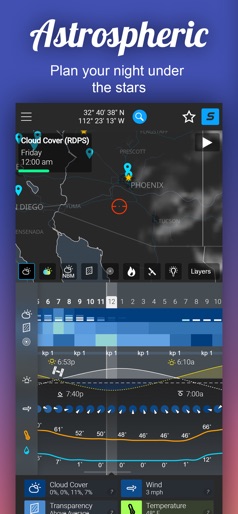
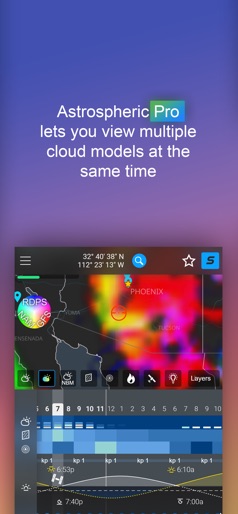
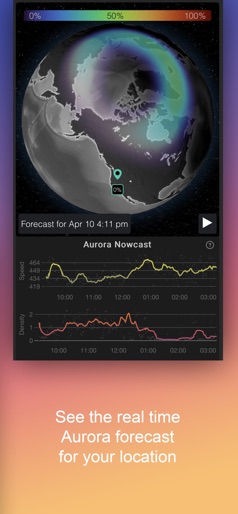
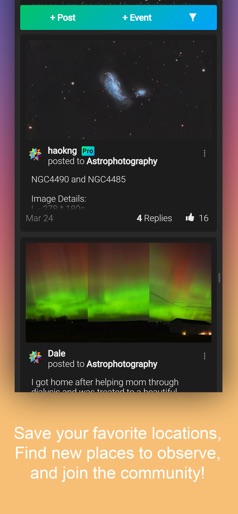
Astrospheric provides advanced weather tools for professional astronomers and astrophotographers, and supports hundreds of astronomical societies with tools that help members stay connected. Are you using what the pros use? Features • 84 hour, hour-by-hour forecast • CMC astronomy data updated every 6 hours (no other service provides this data) • Ensemble cloud forecast lets you quickly compare the major forecast models with hourly updates (Astrospheric Pro) • Extended cloud forecast • Kp index for Aurora viewing (and alerts with Pro) • International Space Station (ISS) flyover paths and times • Astrospheric is the only astronomy service that integrates the smoke forecast into the transparency report • Sky data: cloud, sky transparency, seeing • Ground data: wind, temperature, and humidity • Precise rise and set times for both the sun and moon • Get weather alerts when conditions meeting your requirements are met (Astrospheric Pro) • Details Solar and Lunar eclipse data Astronomical Societies • Stay connected with chat, image sharing, and event planning with all of your members. • Qualifying astronomical societies can get Pro features for all of their members Site Mode • Information necessary to quickly set up your GOTO tracking mount • Available even if you don’t have a network connection Astrospheric Professional is now available to enable Weather Alerts, Ensemble cloud forecast, and more! • Astrospheric Professional is billed monthly or yearly and will auto-renew unless turned off at least 24-hours before the end of the current subscription period. The renewal cost will be the same as the initial sign-up cost of the subscription. Any changes in cost will be communicated before renewal takes place. • Payment will be charged to iTunes Account at confirmation of purchase • Subscriptions may be managed by you and auto-renewal may be turned off by going to the your Account Settings after purchase. A link to these settings is made available within Astrospheric "My Profile" for easy access. • The terms of use and privacy policy may be found at https://www.astrospheric.com/privacypolicy.php, purchasing a subscription shows agreement to these terms. PLEASE NOTE: Weather data is not available for Hawaii due to the domain area covered by the Canadian Meteorological Center. However, satellite and light pollution map layers, as well as other features will work in Hawaii. More information on Astrospherics forecast domain can be found here: https://www.astrospheric.com/dynamiccontent/datadomain.html
Create screenshots like Astrospheric
Use FlyerBanana's free editor to create professional App Store screenshots inspired by Astrospheric's design. 100+ templates, device frames, and one-click export.










