

App Store Screenshots (6)
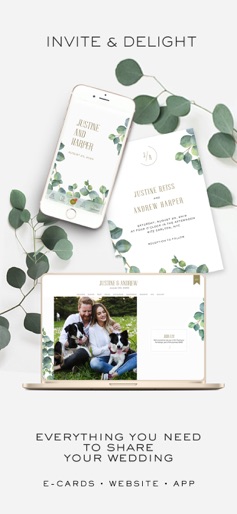
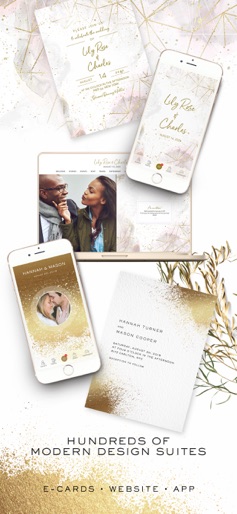
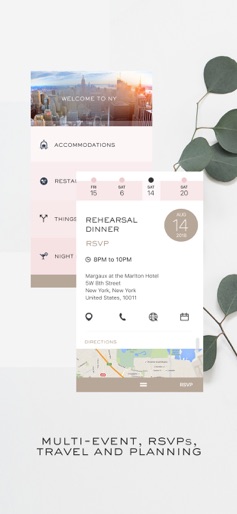
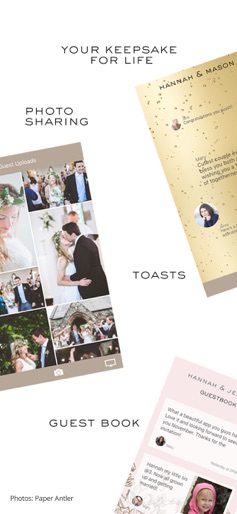

Design Analysis
Visual Design
Style: Custom
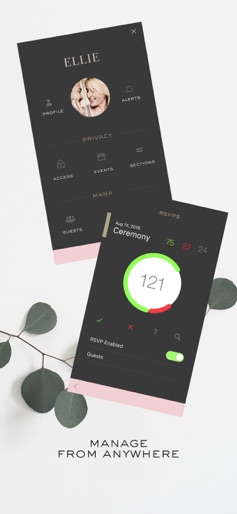
Key Features Shown
- •Multi-device sync (Phone, Tablet, Laptop)
- •Design Suites
- •RSVP Management
- •Photo Sharing Gallery
- •Wedding Countdown
App Insights
Target: Engaged couples looking for a premium, all-in-one digital wedding hub that combines a website, guest management, and social sharing.
- •In-App Purchases
- •One-time setup fee
- •Subscription for premium features
ASO Keywords:
About Appy Couple Wedding App
The wedding hub for you and your guests. Appy Couple consolidates all your wedding sharing needs into a dynamic app and wedding website. No building, no coding, just personalize with your details and both tools are created—automatically and beautifully! Features for event hosts (included with your subscription): ALL IN ONE: Everything you need in one place: Sharing, Delighting and Editing EFFORTLESSLY CHIC: Select designs from top names in fashion and lifestyle. Yes, you can change your design anytime. ARTFULLY SOCIAL: Invite and delight your guests with one-to-one settings for viewing activities and sharing photos. TRULY MODERN: Stay on top of it all wherever you go. Collect RSVPs and update details directly from your app (or anywhere you wish). DEMO APPY: Take Appy for a spin and experience what your guests will see. Tap the gear to turn on editing mode to preview our simple and easy Editing Controls. FOR GUESTS: GOING TO AN APPY WEDDING? Free to use when invited by hosts Here’s what you can do: - View details about the events you’ve been invited to and RSVP - Stay up to date on any changes in schedule or accommodations - Make travel arrangements and coordinate transportation - Find out where the couple are registered or what to gift - Share pictures before, during and after the big day - Socialize with the bridal party and other guests (hey, you never know!) - Toast the couple with virtual champagne or leave a message in the guestbook GETTING MARRIED? Let us help where we can! There’s no need to patch together different tools for your website, RSVPs, photo sharing apps, emails, messages, guest list, spreadsheets… consolidate it all—stylishly Subscription Features Include: - Flexible Sections: - Welcome, Stories, Wedding Party, Travel... - Multiple Event Privacy - Guests, Groups and Plus one's - Collect Guest Photos - Access Control - Multiple Administrators - RSVP Manager - Guest Address Collection - Digital Save The dates and emails - Travel Concierge - Notifications and Alerts - Countdown - Guestbook - Stream and project photos - Registries and Gift Lists - Virtual Toasts - Unlimited Access and guests - Free app download for your guests Terms of Use (EULA): https://www.apple.com/legal/internet-services/itunes/dev/stdeula/
Create screenshots like Appy Couple Wedding App
Use FlyerBanana's free editor to create professional App Store screenshots inspired by Appy Couple Wedding App's design. 100+ templates, device frames, and one-click export.











