All Languages Voice Translator icon

All Languages Voice Translator

Tulip Sports TV

Education
4.0(31.9K ratings)
Free
Create Screenshots Like All Languages Voice Translator

App Store Screenshots (14)

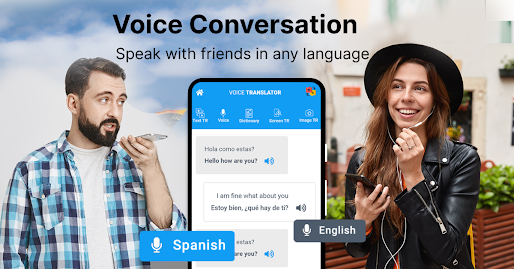
All Languages Voice Translator screenshot 1
All Languages Voice Translator screenshot 2
All Languages Voice Translator screenshot 3
All Languages Voice Translator screenshot 4
All Languages Voice Translator screenshot 5
All Languages Voice Translator screenshot 6
All Languages Voice Translator screenshot 7
All Languages Voice Translator screenshot 8
All Languages Voice Translator screenshot 9
All Languages Voice Translator screenshot 10
All Languages Voice Translator screenshot 11
All Languages Voice Translator screenshot 12
All Languages Voice Translator screenshot 13
All Languages Voice Translator screenshot 14

Design Analysis

Visual Design

App Insights

About All Languages Voice Translator

Translate English to Arabic Language App, designed to provide instant language translation wherever you are. With its user-friendly interface and comprehensive language support, Translator App simplifies cross-lingual communication for travelers, students, and professionals alike. Key Features: Instant Translation: Translate text instantly with just a tap, whether you're reading signs, menus, or conversations. Offline Mode: Access translations even without an internet connection, perfect for traveling to remote areas or avoiding data charges. Voice Input: Speak or type your text for effortless translation, ideal for hands-free communication. Multi-Language Support: Translator App supports a wide range of languages, ensuring you can communicate effectively no matter where you are in the world. Text-to-Speech: Listen to translations spoken aloud to improve pronunciation and comprehension. History and Favorites: Easily access your past translations and mark important phrases as favorites for quick reference. Download Translator App now and unlock a world of possibilities with seamless language translation at your fingertips." This provides a more detailed overview of the app's features and benefits while utilizing the full character limits for each section. Let me know if you need further adjustments!

Create screenshots like All Languages Voice Translator

Use FlyerBanana's free editor to create professional App Store screenshots inspired by All Languages Voice Translator's design. 100+ templates, device frames, and one-click export.


More Education Apps

View all

Frequently Asked Questions

How can I create screenshots like All Languages Voice Translator?
You can create App Store screenshots inspired by All Languages Voice Translator using FlyerBanana's free screenshot editor. Choose from 100+ templates, customize colors, text, and device frames, then export in all required sizes.
What screenshot sizes does All Languages Voice Translator use?
All Languages Voice Translator uses standard App Store screenshot sizes including 6.7" (1290×2796px), 6.5" (1284×2778px), and 5.5" (1242×2208px) for iPhones. FlyerBanana supports all required sizes with one-click export.
Can I use All Languages Voice Translator's screenshot style for my app?
Yes! While you shouldn't copy screenshots directly, you can use All Languages Voice Translator's design patterns as inspiration. FlyerBanana's templates let you create professional screenshots with similar layouts, color schemes, and visual styles.
What makes good Education app screenshots?
The best Education app screenshots clearly showcase key features, use consistent branding, include compelling copy, and follow App Store guidelines. Browse our Education inspiration gallery to see what top apps do well.