

App Store Screenshots (6)

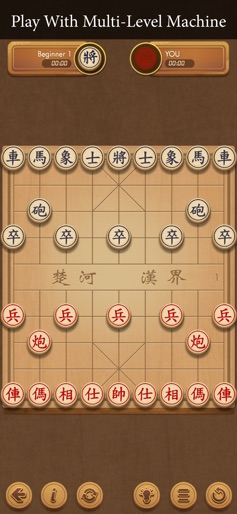
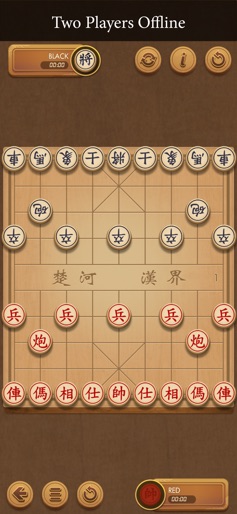


Design Analysis
Visual Design
Style: Custom
Key Features Shown
- •Single Player AI
- •Offline 2-Player
- •Custom Puzzle Creator
- •Endgame Practice
- •Move History
App Insights
Target: Traditional board game enthusiasts, specifically in the Vietnamese and Chinese diaspora markets, interested in mental strategy and chess variants.
- •In-App Purchases
- •Display Ads
ASO Keywords:
About Xiangqi - Play and Learn
Xiangqi - Play and Learn is a game for two people to compete on a chess board with balanced moves. Playing Xiangqi is not easy because it requires intelligence and judgment to win. The Xiangqi board is really a lively battlefield with full of troops on the battlefield. Exciting, suspenseful but also full of entertainment. Therefore, Xiangqi games are increasingly popular with users around the world. Through the game of Xiangqi, be the talented leader to win the final victory. Let us help you make the best chess games! Feature: 1. Supports three different Xiangqi game modes: - Play against the machine - intelligent support with many levels from easy to difficult. - 2 player mode. - Arrange chess pieces (A list of Chess available with more than 3000 positions). 2. Review the previously played chess game 3. Align thinking time 4. Can adjust the move of the chess pieces 5. Beautiful interface, simple, easy to use 6. Instructions for moving chess pieces 7. Support finding the most optimal and smart move when playing with the machine 8. Show list and review previous moves 9. Show timers every time a piece is moving 10. Languages: English, Vietnamese, Chinese Thank you for using our product. Having fun!
Create screenshots like Xiangqi - Play and Learn
Use FlyerBanana's free editor to create professional App Store screenshots inspired by Xiangqi - Play and Learn's design. 100+ templates, device frames, and one-click export.






