Voicenotes AI Notes & Meetings icon

Voicenotes AI Notes & Meetings

Coping Hard Inc

Business
4.8(5.8K ratings)
Free
Create Screenshots Like Voicenotes AI Notes & Meetings

App Store Screenshots (7)
Voicenotes AI Notes & Meetings screenshot 1
Voicenotes AI Notes & Meetings screenshot 2
Voicenotes AI Notes & Meetings screenshot 3
Voicenotes AI Notes & Meetings screenshot 4
Voicenotes AI Notes & Meetings screenshot 5
Voicenotes AI Notes & Meetings screenshot 6
Voicenotes AI Notes & Meetings screenshot 7

Design Analysis

Visual Design

App Insights

About Voicenotes AI Notes & Meetings

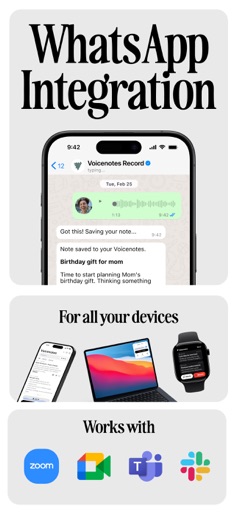
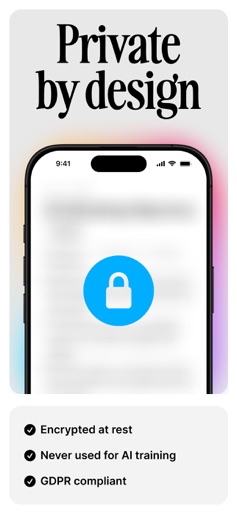
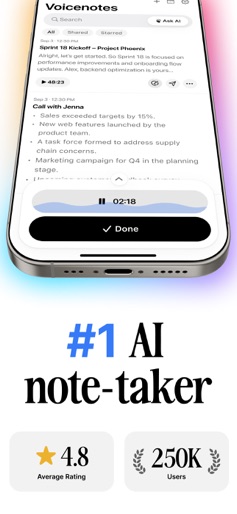
Voicenotes is the easiest way to take notes — whether you’re in a meeting, on a walk, or processing a thought out loud. Just hit record. Voicenotes transcribes your speech instantly, summarizes what matters, and lets you ask your AI to recall anything later. Record everything. Remember anything. Use Voicenotes to: Record meetings, reflections, ideas, and conversations Get accurate transcriptions in 100+ languages Summarize long recordings into short, clear takeaways Ask your AI to remember details, dates, and decisions Create content directly from your notes Search across everything you’ve recorded Works across all your devices: iOS MacOS WatchOS Works with your favorite tools: Notion Todoist Readwise WhatsApp (via bot) Zapier for custom workflows Great for journaling, team meetings, personal reminders — or just getting your thoughts down. Privacy Policy: https://help.voicenotes.com/en/articles/9196879-privacy-policy Terms of Use: https://www.apple.com/legal/internet-services/itunes/dev/stdeula/ Reddit: https://www.reddit.com/r/Voicenotesai/ X: https://x.com/voicenotesai

Create screenshots like Voicenotes AI Notes & Meetings

Use FlyerBanana's free editor to create professional App Store screenshots inspired by Voicenotes AI Notes & Meetings's design. 100+ templates, device frames, and one-click export.


More Business Apps

View all

Frequently Asked Questions

How can I create screenshots like Voicenotes AI Notes & Meetings?
You can create App Store screenshots inspired by Voicenotes AI Notes & Meetings using FlyerBanana's free screenshot editor. Choose from 100+ templates, customize colors, text, and device frames, then export in all required sizes.
What screenshot sizes does Voicenotes AI Notes & Meetings use?
Voicenotes AI Notes & Meetings uses standard App Store screenshot sizes including 6.7" (1290×2796px), 6.5" (1284×2778px), and 5.5" (1242×2208px) for iPhones. FlyerBanana supports all required sizes with one-click export.
Can I use Voicenotes AI Notes & Meetings's screenshot style for my app?
Yes! While you shouldn't copy screenshots directly, you can use Voicenotes AI Notes & Meetings's design patterns as inspiration. FlyerBanana's templates let you create professional screenshots with similar layouts, color schemes, and visual styles.
What makes good Business app screenshots?
The best Business app screenshots clearly showcase key features, use consistent branding, include compelling copy, and follow App Store guidelines. Browse our Business inspiration gallery to see what top apps do well.