

App Store Screenshots (6)



Design Analysis
Visual Design
App Insights
About Voice Recorder — Audio Memos
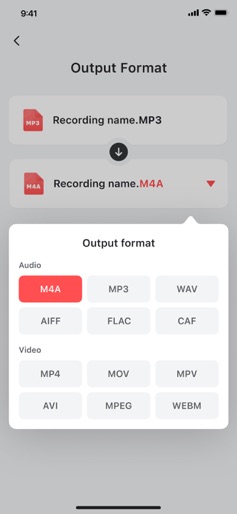
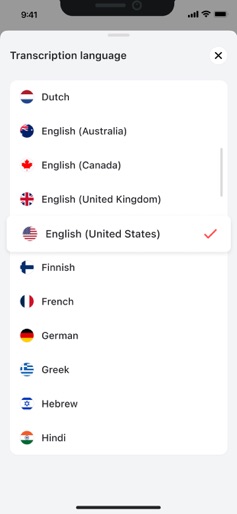
Voice Recorder — Audio Memos is a versatile tool for capturing high-quality audio recordings, managing your recordings effortlessly, and transforming your audio into other formats. Whether you're taking quick notes, recording interviews, or saving memorable moments, our app provides an intuitive and efficient solution. Easily record audio anytime, anywhere, and access powerful tools like editing, volume boosting, and format conversion. With a sleek, user-friendly interface, you can start recording and managing your audio files immediately after installation — no steep learning curve required. Key Features: - Capture high-quality voice recordings in just a tap - Edit audio files directly within the app - Boost volume for clear playback - Convert recordings to/from MP3, MP4, MOV, WAV, AVI - Manage and organize your recordings with ease - Transcribe recordings, accurately turning audio into text - Share recordings across devices - Listen to your recordings in the background - Unlimited recordings without time restrictions - Use voice changer to transform your voice with fun effects The free version of our app allows to create or import a limited number of recordings with basic functionality, such as listening, adjusting playback speed, and navigating through recordings. To unlock unlimited access to all features, a paid subscription is required. Payment will be charged to your iTunes account upon confirmation of purchase. Subscriptions automatically renew unless auto-renew is turned off at least 24 hours before the end of the current period. Your account will be charged for renewal, according to your selected plan, within 24 hours prior to the end of the current period. You can manage or disable auto-renewal in your Apple ID account settings anytime after purchase. By using our application, you are agreeing to our Privacy Policy and Terms of Use: Privacy Policy: https://pp.voicerecorder-mp3-convertor.site/ Terms of Use: https://tou.voicerecorder-mp3-convertor.site/
Create screenshots like Voice Recorder — Audio Memos
Use FlyerBanana's free editor to create professional App Store screenshots inspired by Voice Recorder — Audio Memos's design. 100+ templates, device frames, and one-click export.











