
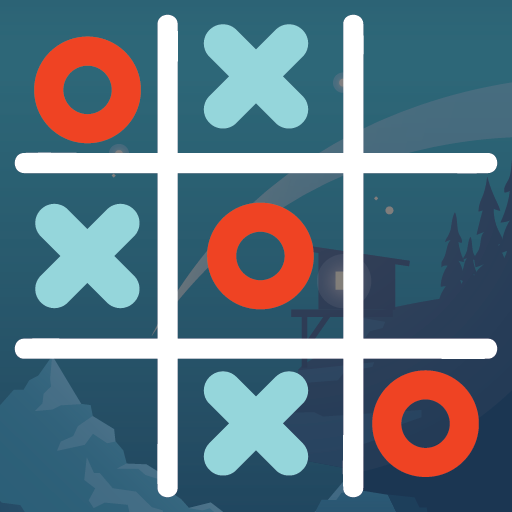
App Store Screenshots (8)


Design Analysis
Visual Design
Style: Custom
Key Features Shown
- •Custom board settings (11x11)
- •Multiple game modes (Computer, Online, Local, Friends)
- •In-game emoji chat
- •Leaderboard and points system
- •Visual win-line indicators
App Insights
Target: Casual gamers and board game enthusiasts in emerging markets (primarily India and SE Asia) looking for free, low-storage entertainment.
- •Interstitial Ads
- •Rewarded Video Ads
- •In-App Purchases (Remove Ads)
ASO Keywords:
About Tic Tac Toe Online - XO Game
Tic Tac Toe also known as Noughts and Crosses Game and XO Game In Iris English is a Pen and paper game. With this app, you don’t need pen and paper to play your beloved Tic Tac Toe With Friends. You can play Noughts and Cross Game with your phone and choose from many playing modes like Play with a computer, With your friend, Online Games and also with local multiplayer from your own region. After having great success with our previous board games we have now launched this game to bring joy to Tic Tac Toe players worldwide. How To Play Tic Tac Toe? Tic Tac Toe is a 2 player game. In a three by three framework 2 players denote the spaces with Xs or Os. The player who aligns their three imprints in a flat, vertical, or slanting line is the victor. XO Game in the 3*3 framework the game always ends in a draw so we made different sizes of boards and aligned them to 3,4,5, and 6 choices in which you want to play the game. Align It Tic Tac Toe Game Offers many modes and playing options. Below is the list of them. Different Board Sizes In our game we have 9 different size boards to choose from. You can select from 3*3, 4*4, 5*5, 6*6, 7*7, 8*8, 9*9, 10*10 , and 11*11. Different Align Options As we have different board sizes so to make the game competitive we have the option to select align from 3, 4, 5 and 6. You can choose and have fun. Different Difficulty Level Along with different sizes of boards to different align options we also have different difficulty levels. You can choose from Easy, Medium and Hard and play as you like and enjoy the Noughts And Crosses Game. Play With Computer In our game we added a bot to play with you. If you are new and don’t have anybody to play with you can try Play with Computer option and enjoy all the above features. Play Tic Tac Toe Online with Friends In this mode you can play with your friends who play our game or Invite them over to the game using your Facebook and Gmail account. And also you can chat with them. Multiplayer And Online Game In both these modes we will match you with the players who are online playing in our Tic Tac Toe Game. You can play with them and have experience. AlignIt Tic Tac Toe Game other features:- - single player game (XO Game play with Computer) - 2 players game (Tic Tac Toe multiplayer) - easy, medium and hard mode in single player game - play online(Xs and Os Online Two Player) - chat option in online mode - leader board in online mode - game statistics Keep and enjoy the best Noughts And Crosses Game online. Best Regards, Team AlignIt Games We are constantly working hard to improve all our free games so please share your feedback at regleware@gmail.com to improve this game and keep Playing Align it. Become a fan of Align It Games on Facebook- https://www.facebook.com/alignitgames/
Create screenshots like Tic Tac Toe Online - XO Game
Use FlyerBanana's free editor to create professional App Store screenshots inspired by Tic Tac Toe Online - XO Game's design. 100+ templates, device frames, and one-click export.






