

The Wall Street Journal. News
Dow Jones & Company, Inc., publisher of The Wall Street Journal.
Create Screenshots Like The Wall Street Journal. NewsApp Store Screenshots (6)




Design Analysis
Visual Design
App Insights
About The Wall Street Journal. News
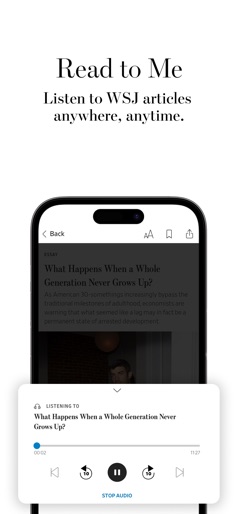
WALL STREET JOURNAL (iOS) Download the WSJ App Today Staying ahead of the competition means staying up to date with the facts. Get the trusted insights, in-depth analysis and real-time updates you need from the WSJ App. Download the app today and subscribe to receive instant access to WSJ’s unrivaled journalism covering today’s top stories across finance, politics, business, tech, the economy and more. Enjoy exclusive newsletters and videos that dive deeper into the stories that matter. Key benefits include: Customizable App Experience (+) Follow your your favorite WSJ journalists (+) Access interactive charts to follow the latest market trends (+) Create personalized stock watch lists (+) Get content relevant to your job title and industry Award-winning Journalism Delivered To Your Mobile Device (+) A real-time news feed, curated by WSJ’s award-winning journalists throughout the day (+) Up to date global coverage on the news that matters (+) Access to curated CFO, CIO, and CMO article feeds Full Access to WSJ, Anywhere, Anytime (+) Full access to WSJ on any device (+) Ability to listen to WSJ articles on your commute, hands-free (+) Offline reading, enabling you to remain informed, wherever you are Real Time Market News - Never Miss a Critical Development (+) Up to the minute stock market quotes (+) Alerts and notifications for breaking news and updates on the stories, companies and industries that matter most to you (+) Articles relevant to your personalized stock list The WSJ App provides comprehensive access that will help you better understand and navigate the complexities of today’s financial world. Regardless of your investing experience, download the app to make more sound financial decisions. Stay ahead, stay informed – with The Wall Street Journal App. Your subscription will renew automatically each month and payment will be charged to your iTunes Account within 24-hours prior to the end of the current period. You can turn off auto-renewal by going to your Account Settings after purchase. No cancellation of your subscription is allowed during the active subscription period. Any unused portion of a free trial or introductory period, if offered, will be forfeited when you purchase a subscription to WSJ, where applicable. By downloading the app you agree to the Dow Jones Terms of Use, Privacy Notice, and Cookie Notice. Terms of Use [Updated]: https://www.dowjones.com/terms-of-use/ Privacy Notice: https://www.dowjones.com/privacy-notice/ Cookie Notice: https://www.dowjones.com/cookie-notice/
Create screenshots like The Wall Street Journal. News
Use FlyerBanana's free editor to create professional App Store screenshots inspired by The Wall Street Journal. News's design. 100+ templates, device frames, and one-click export.











