
App Store Screenshots (9)



Design Analysis
Visual Design
App Insights
About Suno - AI Music & Songs
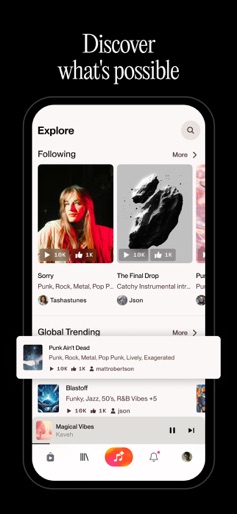
Amplify your imagination. Powered by the world’s most advanced AI music model, Suno transforms your ideas into songs—no instruments needed, just your creative vision. Whether you’re a shower-singer, aspiring songwriter, or charting artist, Suno empowers you to create and discover music like never before. Generate music from prompts, images, or videos with the world’s best AI music model: • Transform your ideas into fully-produced songs and beats with a single prompt. Create 10 songs or beats per day at no cost. • Inspiration begins with you. Write a text prompt like "Create a rap song about walking my dog," sing a melody, hum a tune, or tap out a beat. • Record or upload audio to personalize your music, or generate songs from images and videos. Write original lyrics with effortlessly: • Whether you're in your feels with emotional ballads, hyped on energetic rap verses, or hooked on catchy pop, our lyrics generator and AI songwriter helps you craft custom lyrics that match your style and creative vision. Create playlists for every mood and moment: • Curate your personal AI music library and organize your favorite tracks, beats, and instrumentals into playlists you can revisit anytime. • Manage your AI songs, view track details, and fine-tune your playlists—your music making journey is uniquely yours with Suno. Discover new music and connect with artists: • Stay inspired by listening to tracks created by other users and explore the best AI music across genres like rock, rap, hip hop, pop, and more. • Find fresh favorites by browsing trending music and follow artists to stay connected. • Discover new voice styles, AI covers, rising talent, and beat makers from around the world. Music has no boundaries at Suno. Anything you imagine can take shape as a song to share. Whether you're taking your first steps in music making or chasing your next hit, infinite possibilities begin with a simple prompt in our AI song generator. Feeling pro? Take full creative control: adjust vocals, tweak structure, fine-tune melodies, and edit every detail to your vision. Suno is how imagination becomes music, and music becomes yours. — • Your subscription will be charged to your Apple Account at confirmation of purchase and will automatically renew (at the duration selected) unless auto-renew is turned off at least 24 hours before the end of the current period. • Your current subscription may not be canceled during the active subscription period; however, you can manage your subscription and/or turn off auto-renewal by visiting your Apple Account Settings after purchase. • Our Terms of Service: https://suno.com/terms
Create screenshots like Suno - AI Music & Songs
Use FlyerBanana's free editor to create professional App Store screenshots inspired by Suno - AI Music & Songs's design. 100+ templates, device frames, and one-click export.
More Creativity Apps
View all

Craftsman: Building Craft
Creativity


Video Editor & Maker - InShot
Creativity


Color by Number:Coloring Games
Creativity


Picsart AI Photo Editor, Video
Creativity


Filmora: AI Video Editor&Maker
Creativity


GoPro Quik
Creativity