
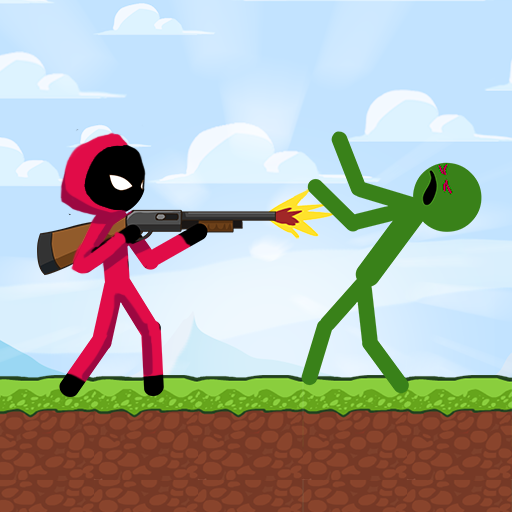
App Store Screenshots (40)


Design Analysis
Visual Design
App Insights
About Stick vs Zombies
⚡ STICK FEATURES ⚡ ▪️ Epic stick fights and massive zombie attacks! ▪️ Awesome Parkour moves: you can climb platforms and hang on high places! ▪️ Incredible melee fighting combos! ▪️ Many platformer levels and a lot of waves to defeat! ▪️ Many weapons and strategies to shoot all the zombies! ▪️ Survive the apocalypse! ⚡ OTHER GAME FEATURES ⚡ ▪️ Save your progress online. ▪️ Reach the top of the online leaderboards! ▪️ You can play it offline too! ▪️ Simple controls and hardcore gameplay! ▪️ Good performance on any device.
Create screenshots like Stick vs Zombies
Use FlyerBanana's free editor to create professional App Store screenshots inspired by Stick vs Zombies's design. 100+ templates, device frames, and one-click export.
More Action Apps
View all










Frequently Asked Questions
How can I create screenshots like Stick vs Zombies?
You can create App Store screenshots inspired by Stick vs Zombies using FlyerBanana's free screenshot editor. Choose from 100+ templates, customize colors, text, and device frames, then export in all required sizes.
What screenshot sizes does Stick vs Zombies use?
Stick vs Zombies uses standard App Store screenshot sizes including 6.7" (1290×2796px), 6.5" (1284×2778px), and 5.5" (1242×2208px) for iPhones. FlyerBanana supports all required sizes with one-click export.
Can I use Stick vs Zombies's screenshot style for my app?
Yes! While you shouldn't copy screenshots directly, you can use Stick vs Zombies's design patterns as inspiration. FlyerBanana's templates let you create professional screenshots with similar layouts, color schemes, and visual styles.
What makes good Action app screenshots?
The best Action app screenshots clearly showcase key features, use consistent branding, include compelling copy, and follow App Store guidelines. Browse our Action inspiration gallery to see what top apps do well.