

App Store Screenshots (4)

Design Analysis
Visual Design
App Insights
About Stick Hero: Tower Defense
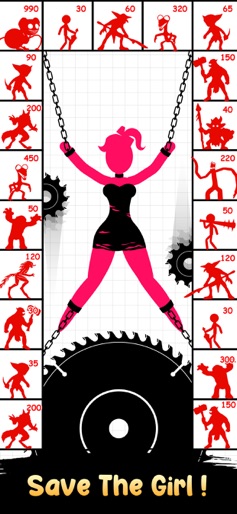
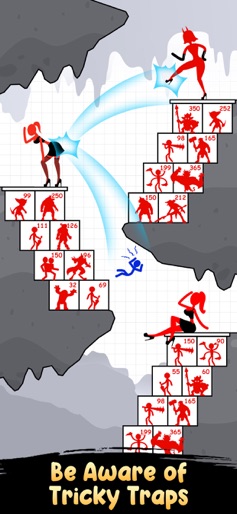
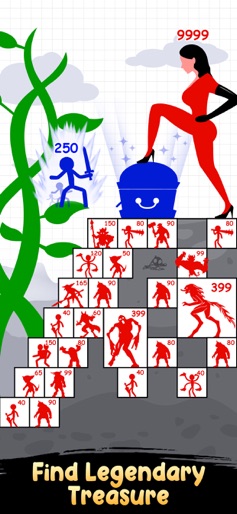
Stick War: Hero Tower Defense is the best action for Stickman games and fighting arcade game. Are you ready to be the last stick-hero standing in the top battles? Your duty is to charge power: grow as a warrior and defeat horror well-armed eniems and kill their Giant Boss. Gather your stickman with a wise strategy and lead them to victory! Stick War: Hero Tower Defense is a combination of action, strategy, and battle puzzle games. Think before every drag and drop, calculate every move, use your brain to strategize your next action to overcome countless obstacles. We took the best resources from classic Stickman theme, so that you never regret GAMEPLAY - Strategy role-playing game - Move your hero wisely to power up, collect the loot, kill the giant boss and save the princess - Ways to develop mighty heroes: level up, upgrade skills, merge them to others, turn them into legends - Become a legend and build your own beautiful castle GAME FEATURE - Infinite number of levels to challenge - Attractive and classic stickman theme - Heaps of unlockable weapon - Fast-paced innovative battle system. Real strategy and tactics! Feeling thrilled? Excited? Come and join the tower battle in Stick War: Hero Tower Defense
Create screenshots like Stick Hero: Tower Defense
Use FlyerBanana's free editor to create professional App Store screenshots inspired by Stick Hero: Tower Defense's design. 100+ templates, device frames, and one-click export.










