

App Store Screenshots (7)

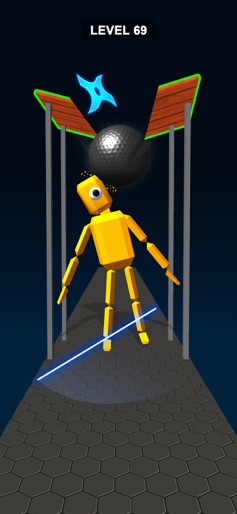
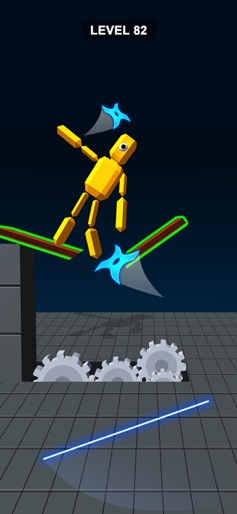
Design Analysis
Visual Design
Style: Custom
Colors:
accent
primary
secondary
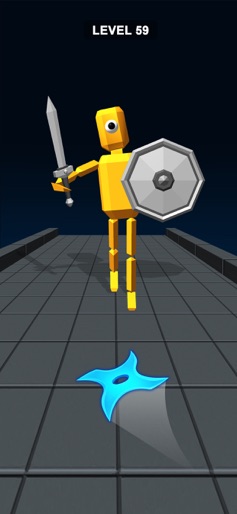
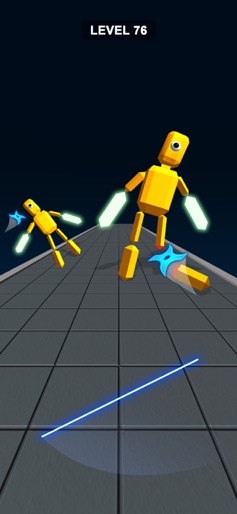
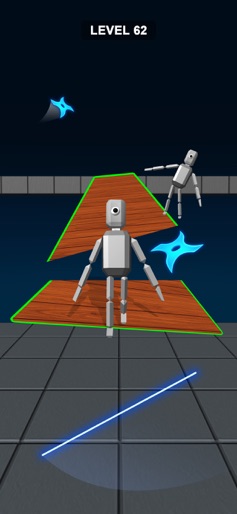
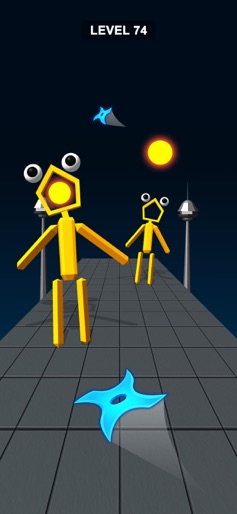
Top-center level indicatorMinimalist HUDGesture-based projectile launching
Key Features Shown
- •Level progression system
- •Ragdoll enemy physics
- •Projectile trajectory
- •Environment obstacles (gates/pillars)
- •Character dismemberment mechanics
App Insights
Target: Hyper-casual gamers looking for short-session distraction and satisfying ASMR-style physics interactions.
Monetization:
- •Interstitial Ads
- •Rewarded Video Ads
- •In-App Purchases (Remove Ads)
ASO Keywords:
StealthNinjaBladeCutASMR
About Stealth Ninja Blade Cut ASMR
Slide your finger on the screen to throw the blade at enemies. The blade will follow the direction you swipe and hit the target perfectly. Stealth Ninja Blade Cut ASMR Highlights: Swipe to slice with smooth, easy controls. Watch enemies split in two with every hit. Aim from any angle and hit the spot. Drag, throw, and smash enemies around. Hit moving targets and test your reflexes. Play endless levels with increasing fun.
Create screenshots like Stealth Ninja Blade Cut ASMR
Use FlyerBanana's free editor to create professional App Store screenshots inspired by Stealth Ninja Blade Cut ASMR's design. 100+ templates, device frames, and one-click export.
More Action Apps
View all










Frequently Asked Questions
How can I create screenshots like Stealth Ninja Blade Cut ASMR?
You can create App Store screenshots inspired by Stealth Ninja Blade Cut ASMR using FlyerBanana's free screenshot editor. Choose from 100+ templates, customize colors, text, and device frames, then export in all required sizes.
What screenshot sizes does Stealth Ninja Blade Cut ASMR use?
Stealth Ninja Blade Cut ASMR uses standard App Store screenshot sizes including 6.7" (1290×2796px), 6.5" (1284×2778px), and 5.5" (1242×2208px) for iPhones. FlyerBanana supports all required sizes with one-click export.
Can I use Stealth Ninja Blade Cut ASMR's screenshot style for my app?
Yes! While you shouldn't copy screenshots directly, you can use Stealth Ninja Blade Cut ASMR's design patterns as inspiration. FlyerBanana's templates let you create professional screenshots with similar layouts, color schemes, and visual styles.
What makes good Action app screenshots?
The best Action app screenshots clearly showcase key features, use consistent branding, include compelling copy, and follow App Store guidelines. Browse our Action inspiration gallery to see what top apps do well.