
Spark AI Email & Calendar
Readdle Technologies Limited
Create Screenshots Like Spark AI Email & CalendarApp Store Screenshots (10)


Design Analysis
Visual Design
App Insights
About Spark AI Email & Calendar
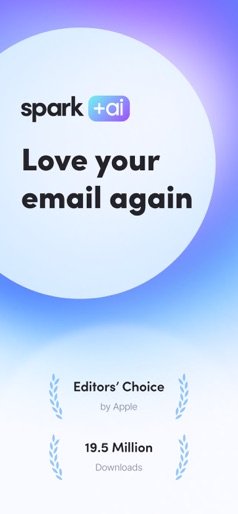
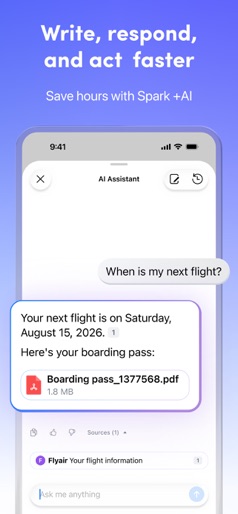
Reclaim your time and focus with Spark — the AI-powered email app loved by millions. Declutter your inbox, manage your calendar, and move through emails faster than ever. “Best of the App Store” – Apple “It’s a combination of polish, simplicity, and depth.” – FastCompany “You can create an email experience that works for you.” – TechCrunch MANAGE MULTIPLE EMAIL ACCOUNTS Connect all your emails — including Gmail, Microsoft Outlook, AOL, Yahoo, Hotmail, IMAP, GMX, and iCloud — in one unified inbox. STAY ORGANIZED WITH SMART INBOX Keep personal and high-priority emails up top — newsletters and notifications stay neatly grouped below. WORK SMARTER WITH SPARK +AI Summarize long threads, draft replies, rephrase messages, and adjust tone — all powered by AI. Use your AI Assistant to manage your inbox, translate emails, and keep projects moving. GET MORE DONE WITH EMAIL ESSENTIALS - Mark emails as done or set aside for later - Mute email threads you’re no longer interested in. - Schedule emails to send later — even if your device is off. - Filter with Smart Search and Smart Folders PROTECT YOUR INBOX WITH GATEKEEPER Pre-screen new senders with Gatekeeper and block unwanted contacts instantly. PRIORITIZE EMAILS AND SENDERS Mark what’s important so it’s always at the top of your inbox. Group emails from senders or domains to keep your inbox clean. MANAGE YOUR CALENDAR AND MEETINGS Connect your calendars to stay on top of your day. CONNECT EMAILS TO INTEGRATIONS Connect Spark to apps like Notion, Asana, Things, and 10+ integrations to take action on everything in your inbox. SECURE AND PRIVATE EMAIL Spark encrypts your data, relies on Google Cloud’s secure infrastructure, and is fully GDPR compliant. COLLABORATE WITH YOUR TEAM - Create a team to collaborate on emails. - Co-author emails and discuss content in private comments. - Share secure links to specific emails. - Track read receipts to keep work moving. ENJOY THE ESSENTIALS FOR FREE Try Spark Plus or Spark Pro free for 7 days — or stick with our powerful free plan. Download Spark and reclaim your day. What is Spark? Spark is a cross-platform email client that helps individuals and teams manage their inboxes and calendar with smart, AI-powered tools. It works across all platforms and devices so that you can be more effective, at home, in the office, or on the go. Who is Spark for? Short answer: Anyone who deals with a lot of emails. Spark is perfect for busy professionals, freelancers, and teams who need to stay organized and communicate effectively. It’s also great for individuals who want to manage their personal and work accounts in a unified inbox. Is it difficult to set up? Spark is highly customizable, but also easy to master. You’ll find multiple ways to set up your inbox, swipes, and shortcuts in Settings. Terms of Service: https://sparkmailapp.com/legal/terms Privacy Policy: https://sparkmailapp.com/legal/privacy-app Help: support@sparkmailapp.com
Create screenshots like Spark AI Email & Calendar
Use FlyerBanana's free editor to create professional App Store screenshots inspired by Spark AI Email & Calendar's design. 100+ templates, device frames, and one-click export.











