
Smart AI Note Taker: CraftNote
Joyolabs Dijital Hizmetler Anonim Sirketi
Create Screenshots Like Smart AI Note Taker: CraftNoteApp Store Screenshots (10)






Design Analysis
Visual Design
App Insights
About Smart AI Note Taker: CraftNote
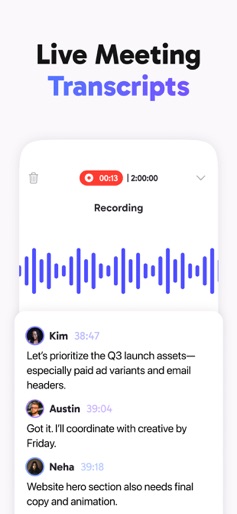
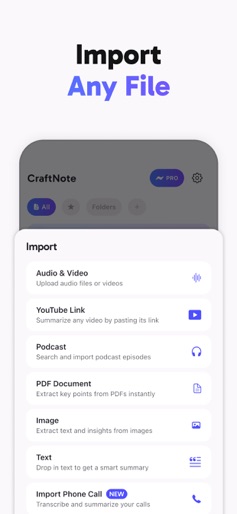
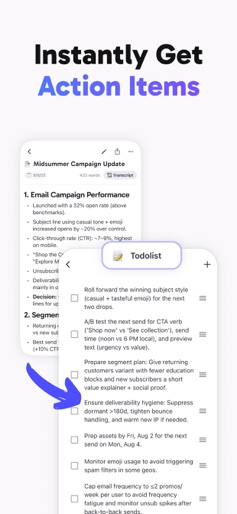
Never Take Notes Again. CraftNote: Your AI Assistant for Effortless Note-Taking & Meeting Transcripts Stay focused on the conversation — let CraftNote handle the rest. CraftNote is your intelligent companion for seamless note-taking, real-time transcription, and concise meeting summaries. Designed to keep up with the pace of modern work, it helps you capture every key moment without lifting a pen. Whether you're leading a high-stakes business meeting, participating in a team brainstorm, or collecting your personal thoughts, CraftNote ensures nothing slips through the cracks. Built for Business, Designed for Everyone CraftNote is built with professionals in mind — executives, consultants, managers, and remote teams — but its intuitive experience is perfect for students, content creators, and anyone who wants to stay organized without the manual effort. Wherever ideas happen, CraftNote is ready to listen, transcribe, and summarize. Key Features AI-Powered Meeting Summaries Receive clean, structured summaries in seconds — ideal for follow-ups, action items, and sharing with your team. Works with all inputs You can create smart notes from PDFs, video, audio, podcast, YouTube, phone calls, images, and more! Real-Time Transcription Capture conversations live or from audio recordings, with accurate multi-speaker detection. Smart Organization Your notes are automatically sorted, tagged, and searchable — so you can find exactly what you need, instantly. Secure & Private We take your privacy seriously. Your data is encrypted and you stay in control at all times. Work Smarter, Not Harder With CraftNote, you can stay engaged and contribute more — no more distractions from manual note-taking. Let AI do the heavy lifting while you focus on decisions, collaboration, and strategy. Try CraftNote today — and experience note-taking, reimagined. For support, contact us at: support+craftnote@joyolabs.com (We’ll respond within 24 hours.) Subscriptions Pro features are available via auto-renewable subscription. The subscription renews automatically unless canceled at least 24 hours before the end of the current period. Your account will be charged within 24 hours of renewal. You can manage or cancel your subscription anytime via your iTunes account settings. Privacy Policy: https://www.joyolabs.com/craftnote/privacy Terms of Use: https://www.apple.com/legal/internet-services/itunes/dev/stdeula/
Create screenshots like Smart AI Note Taker: CraftNote
Use FlyerBanana's free editor to create professional App Store screenshots inspired by Smart AI Note Taker: CraftNote's design. 100+ templates, device frames, and one-click export.











