
App Store Screenshots (7)




Design Analysis
Visual Design
App Insights
About Sleep Well: Snore & Sleep Talk
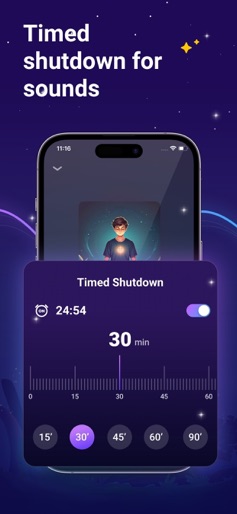
Discover the ultimate sleep companion with SleepWell: Health Tracker! Our app provides a comprehensive suite of tools designed to help you achieve the perfect night's rest. From relaxing white noise and soothing music to guided breathing exercises and engaging sleep stories, SleepWell: Health Tracker has everything you need to unwind and sleep soundly. Key Features: 1. Sleep Aid: - White Noise: Choose from a variety of calming sounds like birdsong, fire, rainstorm, and rain. - Music: Enjoy peaceful and quiet music tracks designed to enhance your sleep. - Sleep Stories: Immerse yourself in soothing bedtime stories that will help you drift off to sleep. - Daily Picks: Curated content to help you relax and fall asleep faster. 2. Sleep Tracking: - Sleep Monitoring: Track your sleep duration and quality with detailed insights and analysis. Prevent Shutdown: Receive reminders to keep your device charged and running all night. 3. Sleep Analysis: - Sleep Quality Score: Get a comprehensive sleep score based on three nights of analysis. - Sleep Sound Recording: Monitor and listen to sleep sounds such as snoring, coughing, and more to understand and improve your sleep environment. Transform your sleep with SleepWell: Health Tracker and wake up feeling refreshed and rejuvenated every morning. Download now and start your journey to better sleep today! Choose from the following subscription options for unlimited access to all sleep well features: • Weekly Subscription • Yearly Subscription • Lifetime Subscription You may cancel your subscription at any time. Free trial allows you unlimited access to all features for the duration of 3 days. Your account will be automatically charged for renewal, based on the annual subscription plan, within 24 hours before the end of the 3 days free trial period. You can cancel auto-renewal at any time, given that the cancellation is at least 24 hours before the end of the current period. Any unused portion of a free trial period will be forfeited when making a purchase of an auto-renewing subscription. Manage your subscription directly from your iPhone Subscriptions can be managed by the user and auto-renewal can be turned off by going to the Account Settings: - Open the Settings app. - Tap your name. - Tap Subscriptions. - Tap the subscription that you want to manage. For app support and more information, reach out to us at: yiyi09281@outlook.com Privacy Policy: https://sites.google.com/view/privacy-policysleep Terms of Use: https://sites.google.com/view/sleeptermsofuse
Create screenshots like Sleep Well: Snore & Sleep Talk
Use FlyerBanana's free editor to create professional App Store screenshots inspired by Sleep Well: Snore & Sleep Talk's design. 100+ templates, device frames, and one-click export.
More Health & Fitness Apps
View all

Flo Cycle & Period Tracker
Health & Fitness


CVS Health
Health & Fitness


Clue Cycle & Period Tracker
Health & Fitness


Headspace: Meditation & Sleep
Health & Fitness


Noom Weight Loss, Food Tracker
Health & Fitness


Impulse - Brain Training
Health & Fitness