

App Store Screenshots (5)



Design Analysis
Visual Design
App Insights
About Shot Shorts-MiniSeries
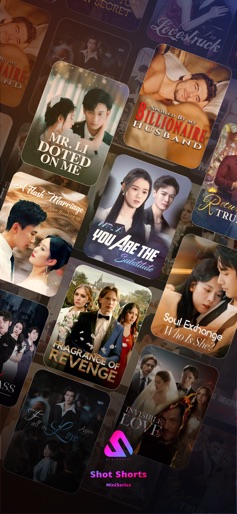
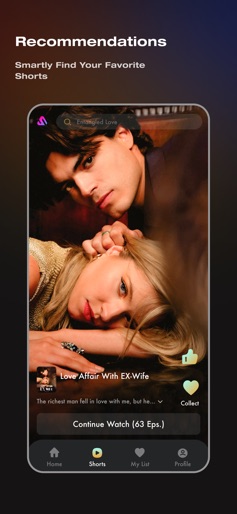
Big News! For providing better service for our users, Shot Shorts-MiniSeries makes decides to make a brand update, changing our App name to Shot Shorts-MiniSeries. Say goodbye to out-fashion old movies, TV shows, and unused subscriptions. With Shot Shorts-MiniSeries, you have different experience. Just pure entertainment at your fingertips, enjoying Shot Shorts-MiniSeries slots of our drama shorts. Free Episodes: Enjoy the fresh episodes of our top hit shorts for FREE. Diverse Content: Explore a world of entertainment with genres like drama, romance, suspense, and thriller. Dive into captivating stories, from fake marriages to hidden identities and epic rags-to-riches tales. Mobile Streaming: Whether you're relaxing on your couch, having lunch, Shot Shorts-MiniSeries is available on all your mobile devices. You can even cast it to your smart TV for a cinematic experience. What are you waiting for? Experience the future of bite-sized entertainment today. Download Shot Shorts-MiniSeries now and unlock a world of captivating stories, all at your fingertips. Don't miss out! About Subscriptions Auto-renewing subscription instructions: 1. Payment: The purchase will be charged to your iTunes account. 2. Renewal: Your Apple iTunes account will be charged within 24 hours before the subscription expires, extending your access for another cycle upon successful payment. 3. Cancellation: To cancel auto-renewal, disable the function in your iTunes/Apple ID settings at least 24 hours before the current subscription ends. If canceled within the last 24 hours, a renewal fee may still apply. 4. For more information, please see: https://www.apple.com/legal/internet-services/itunes/dev/stdeula/ Privacy Policy: https://page.shortswow.com/service_clause.html Terms of Use: https://page.shortswow.com/privacy.html Renewal: https://page.shortswow.com/renewal.html Membership Terms of Use: https://page.shortswow.com/membership.html
Create screenshots like Shot Shorts-MiniSeries
Use FlyerBanana's free editor to create professional App Store screenshots inspired by Shot Shorts-MiniSeries's design. 100+ templates, device frames, and one-click export.
More Entertainment Apps
View all

YouTube
Entertainment


Spotify: Music and Podcasts
Entertainment


TikTok - Videos, Shop & LIVE
Entertainment


Pandora: Music & Podcasts
Entertainment


Shazam: Find Music & Concerts
Entertainment


Photo Lab Picture Editor & Art
Entertainment