
App Store Screenshots (8)
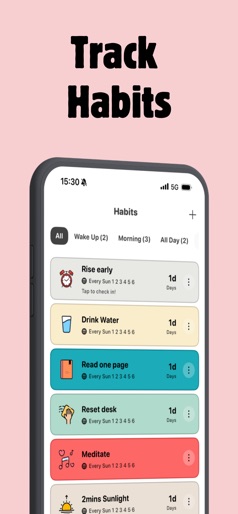

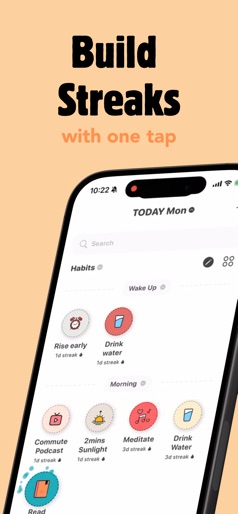
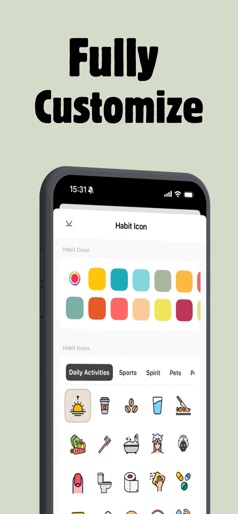


Design Analysis
Visual Design
App Insights
About ShineDay: Micro Habit Tracker
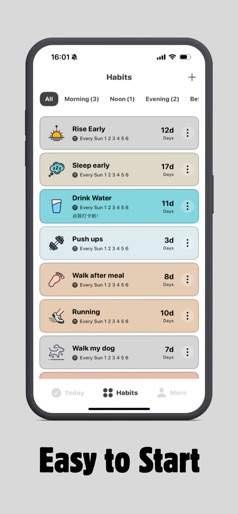
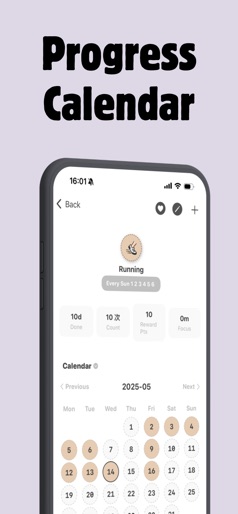
ShineDay — the Habit Tracker — helps you form positive routines and achieve your goals, with features designed for focus and ADHD. Schedule reminders, visualize progress with stats and charts, add notes, and stay motivated. Download now and start building micro habits from here!! —— Highlighted Features —— * Build Micro habits easily: Based on the idea of micro habits, start from tiny habits and progress. * Frequency options: Daily, specific days, every X days, or X times per week. * Powerful insights: In-depth stats to measure progress and refine your approach. * Flexible goals: Track by units and volume—not just yes/no. * Elegant Reports: Weekly, monthly, and yearly summaries at a glance. * Notes & memos: A private diary for wins, adjustments, and lessons. * Pomodore Technique: Boost your focus at work and study. * Mood tracking: Monitor your mental well‑being alongside your habits. * Smart reminders: Time‑based and location‑based nudges. * Multiple reminders: Set more than one reminder for any habit. * Custom reminder sounds: Record or import your own tones. * Widgets (Home, Lock, Today View): Check and log habits without opening the app. * Habit memo: Keep a diary of notes, reflections, and learnings. * Yearly heat map: See your entire year’s consistency in one unique view. * Focus time: Countdown and stopwatch timers for time‑based habits. * Cloud sync & backup: Your data, safe and in sync across devices. * Daily Quotes: Motivational wallpapers, quotes, and affirmations. * Privacy lock: Protect access with Face ID or Touch ID. * Dark mode: A sleek theme that’s easy on the eyes. * Habit ideas: Discover new routines worth trying—updated regularly. 【ShineDay Auto-Subscriptions】 * Subscription payments will be charged to your iTunes account at confirmation of your purchase. * Subscriptions will automatically renew and payment will be charged to your iTunes account unless auto-renew is turned off at least 24 hours prior to the end of the current period. The cost of the renewal depends on your Subscription Plan. Our standard Subscription Plans are: * 3-month Subscription * 6-months Subscription * 1-year Subscription For other currencies, the price corresponds to the same price tier on the App Store Pricing Matrix. * Subscription with a free trial period will automatically renew to a paid subscription. You can cancel or manage your free trial's auto-renewal in your Account Settings after purchase. The cancellation will take effect 24-hours after the last day of the current subscription period and you will be downgraded to the free service. * Please note: any unused portion of a free trial period (if offered) will be forfeited when you purchase a premium subscription during the free trial period. Privacy Policy: https://glen-father-c47.notion.site/10b9e50ad6064cf89b29c37a78a75a74 EULA: https: https://glen-father-c47.notion.site/fe80544e051f4af8ba222761c4141f6c?pvs=4
Create screenshots like ShineDay: Micro Habit Tracker
Use FlyerBanana's free editor to create professional App Store screenshots inspired by ShineDay: Micro Habit Tracker's design. 100+ templates, device frames, and one-click export.
More Health & Fitness Apps
View all

Flo Cycle & Period Tracker
Health & Fitness


CVS Health
Health & Fitness


Clue Cycle & Period Tracker
Health & Fitness


Headspace: Meditation & Sleep
Health & Fitness


Noom Weight Loss, Food Tracker
Health & Fitness


Impulse - Brain Training
Health & Fitness