
ScanGuru: Document PDF Scanner
GM UniverseApps Limited
Create Screenshots Like ScanGuru: Document PDF ScannerApp Store Screenshots (9)




Design Analysis
Visual Design
App Insights
About ScanGuru: Document PDF Scanner
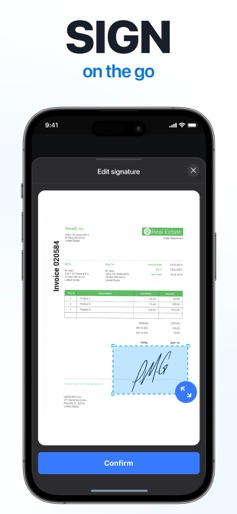
ScanGuru is a scanner app that will turn your phone into the powerful tiny scanner that fits in your pocket! Scan, edit, sign and share any document in PDF or JPEG. With our scanner you don’t need an Internet connection as all scans are stored locally on your device. Become even more productive with e-sign and OCR. Add your signature to scanned documents with just a few taps in scanner pro. Use text recognition to convert any scan into text. Advanced scanner features: - Sign documents in a few taps - OCR (convert any scan into text) - Annotate PDFs by highlighting text - Translate scanned documents - Export to Word in one tap - Save your scans in black and white, grayscale or color - Highlight the key points of your scans. - Scan to high-quality PDF or JPEG - Multipage scanning - scan as many pages as you need - Automatic shutter and border detection for any scannable object - Protect your scans with Touch/Face ID or pin code Use our free scanner app to scan anything you need: - IDs, business documents, agreements, letters, invoices, order sheets, receipts - Paper notes and sketches - Any articles and book pages - Business cards - Rentals, credit notes, bills or any other printed documents Share your scanned documents via: - Email or messengers as PDF, JPEG - Print your scans with any Wi-Fi printer - Save scans to Camera Roll Premium features: - Unlimited number of scans and folders. - Text Recognition (OCR) - Signature, Watermark, Stamp, Annotation Information about the auto-renewal of subscription: - Subscription automatically renews unless auto-renew is turned off at least 24-hours before the end of the current period. - Subscriptions may be managed by the user and auto-renewal may be turned off by going to the user’s Account Settings after purchase. - Any unused portion of a free trial period will be forfeited when the user purchases a subscription. - Payment will be charged to iTunes Account at confirmation of purchase. - An account will be charged for renewal within 24 hours prior to the end of the current period. The cost depends on the selected plan. Terms of Services: https://scanguru.universeapps.limited/hub/legal/terms-of-use Privacy Policy: https://scanguru.universeapps.limited/hub/legal/privacy-policy Billing terms: https://scanguru.universeapps.limited/hub/legal/subscription-terms Contact us via Customer Support: support@universeapps.limited
Create screenshots like ScanGuru: Document PDF Scanner
Use FlyerBanana's free editor to create professional App Store screenshots inspired by ScanGuru: Document PDF Scanner's design. 100+ templates, device frames, and one-click export.











