

Rhythm Music - Offline Player
Photos & Videos Download Tools
Create Screenshots Like Rhythm Music - Offline PlayerApp Store Screenshots (6)

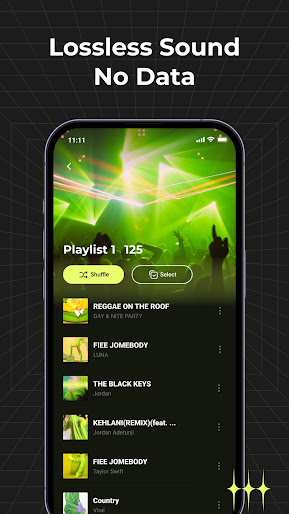


Design Analysis
Visual Design
Style: Custom
Key Features Shown
- •Local Song List
- •Playlist Management
- •Audio Format Support
- •Full-screen Player
- •Album View
App Insights
Target: Mobile users in emerging markets (specifically LATAM) with limited data plans who need a robust local media player.
- •Interstitial ads
- •Banner ads
- •Video ads
ASO Keywords:
About Rhythm Music - Offline Player
🎵 Your Ultimate Offline Music Companion 🎵 Enjoy seamless music playback anywhere, even without internet. 🌟 Core Features: ✅ Lossless Audio Support: Play MP3, FLAC, WAV, and more with studio-quality sound. ✅ Smart Library Management: Auto-organize songs by artist, album, genre, or playlist. ✅ Customizable EQ: A robust built-in equalizer that allows you to fine-tune the sound to your liking. ✅ Background Playback: Keep the music going while using other apps. ✅ Lockscreen Controls: Manage playback without unlocking your phone. ✅ Cross-Platform Sync: Sync playlists across devices when connected to Wi-Fi. 🌐 Ideal for: - Travelers: Download music before flights or road trips. - Gym Goers: Workout without buffering. - Commuters: Enjoy music during subway rides or areas with weak signal. - Privacy-Conscious Users: All music stays locally on your device. 🔒 Privacy-First Design: We don’t collect or share your personal data. No cloud storage required—your music is yours alone. 📱 User-Friendly Interface: - Drag-and-Drop Playlists: Create, edit, and rearrange playlists effortlessly. - Quick Search: Find songs, albums, or artists in seconds. - Dark Mode: Reduce eye strain during late-night listening. 💡 Pro Tips: - Save Data: Download songs over Wi-Fi. - Enhance Sound: Use the built-in equalizer for podcasts, EDM, or classical music. - Lyric Mode: Sing along with synchronized lyrics (no internet needed). 📅 Regular Updates: We’re constantly improving performance, adding new features, and fixing bugs. 📲 Download Now and take control of your music library. No subscriptions, no limits—just pure, offline music enjoyment. Required Permissions: FOREGROUND_SERVICE_MEDIA_PLAYBACK Enable quick access to the app via the notification bar for seamless control of playback, song switching, and direct entry into the app. Additionally, ensure uninterrupted scanning, importing of local music, and data synchronization without system interruptions.
Create screenshots like Rhythm Music - Offline Player
Use FlyerBanana's free editor to create professional App Store screenshots inspired by Rhythm Music - Offline Player's design. 100+ templates, device frames, and one-click export.
More Entertainment Apps
View all

YouTube
Entertainment


Spotify: Music and Podcasts
Entertainment


TikTok - Videos, Shop & LIVE
Entertainment


Pandora: Music & Podcasts
Entertainment


Shazam: Find Music & Concerts
Entertainment


Photo Lab Picture Editor & Art
Entertainment