

QR Code & Barcode Scanner app.
Minimodev Technologies LTD
Create Screenshots Like QR Code & Barcode Scanner app.App Store Screenshots (5)



Design Analysis
Visual Design
App Insights
About QR Code & Barcode Scanner app.
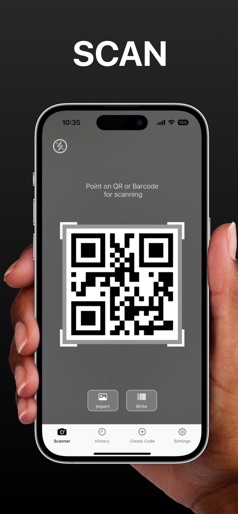
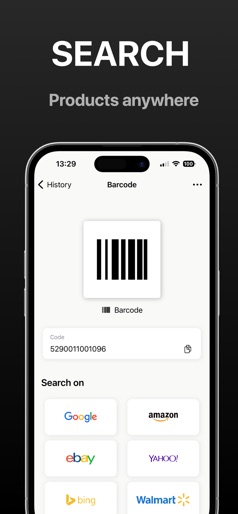
Scan QR codes & barcodes in a few seconds. Generate your QR codes. Instantly access product info, prices & more. Try now! Introducing the Ultimate QR Code and Barcode Scanner App – your one-stop solution for fast, accurate, and hassle-free code scanning! Upgrade your scanning experience with our powerful tool. + Scan with Ease: Effortlessly scan QR codes and barcodes instantly. Say goodbye to manual data entry – point your camera, and our advanced scanning technology does the rest. From product details to pricing, get the info you need in seconds. + Shop Smart: Discover a more innovative way to shop! Scan QR codes to access product reviews, compare prices, and find the best deals. Make informed decisions and never overpay again. + Generate Your Own: Need a QR code? Our app doubles as a powerful QR code generator. Create codes for websites, contact information, Wi-Fi access, and more. Share your codes with friends or customers or use them for personal or business purposes. + Business Boost: Seamlessly integrate QR codes into your business operations. Generate codes for products, services, or promotional materials. Enhance customer engagement, track inventory, and streamline your processes. + Web Links Made Easy: Share URLs without the hassle of typing. Generate QR codes for website links and drive traffic seamlessly. Simplify user experiences and bridge the gap between offline and online content. + Scan Anywhere, Anytime: Whether you're in a store, at an event, or browsing magazines, our app transforms your smartphone into a powerful scanner—capturing codes in low light, at odd angles, and even from a distance. Information about the auto-renewal of subscription: - Payment will be charged to iTunes Account at confirmation of purchase; – Subscriptions are billed weekly, monthly, quarterly, or annually at the rate based on the subscription plan - Subscription automatically renews unless auto-renew is turned off at least 24 hours before the end of the current period; - The account will be charged for renewal within 24 hours before the end of the current period. The cost depends on the selected plan; - Subscriptions may be managed by the user, and auto-renewal may be turned off by going to the user’s Account Settings after purchase; Privacy Policy: https://minimodev.com/qr/privacy Terms of Use: https://minimodev.com/qr/terms For any questions or inquiries, please get in touch: support@minimodev.com
Create screenshots like QR Code & Barcode Scanner app.
Use FlyerBanana's free editor to create professional App Store screenshots inspired by QR Code & Barcode Scanner app.'s design. 100+ templates, device frames, and one-click export.
More Productivity Apps
View all

Microsoft Outlook
Productivity


AVG AntiVirus & Security
Productivity


Screen Recorder - XRecorder
Productivity


Opera: Private Web Browser
Productivity


Parallel Space - app cloning
Productivity


Duolingo - Language Lessons
Productivity