
App Store Screenshots (7)



Design Analysis
Visual Design
App Insights
About Printer App: Smart Print
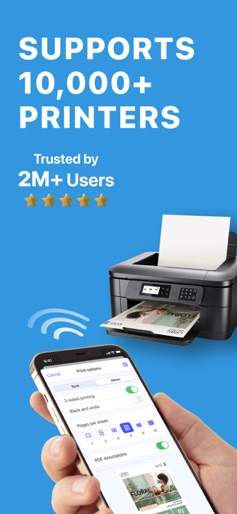
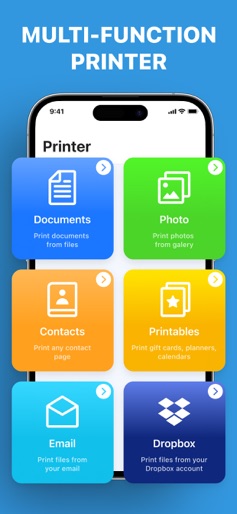
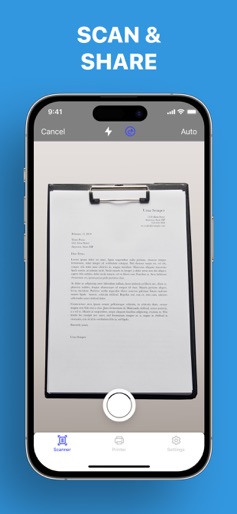
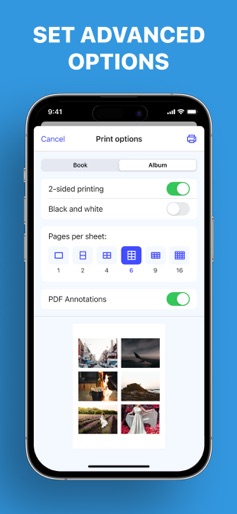
Printing has never been so effortless. With more than 10,000 supported wireless printers, Printer App lets you print documents and photos in a matter of seconds. Simply select a document or photo, edit it with a handy set of built-in tools, and send it for printing. Printer App key features include: PRINTING FROM IOS DEVICES - Print photos and documents - Print web pages & contacts - Print directly from your Dropbox or Google Drive - Over 20 supported file formats, including: PDF, DOCX, PAGES, and TXT SCAN DOCUMENTS - Scan documents with the built-in scanner - Share or print scanned documents ADVANCED PRINTING OPTIONS - Page orientation - One and two-sided printing - Number of pages per sheet - Printing in black and white or color - Paper size (A3, A4, B5, etc.) - Number of copies - Printing range EXTENDED DOCUMENT EDITING - Highlight or draw on documents - Add text to documents - Use other customization options ADJUST PHOTOS - Apply filters, blur, or saturation - Change size and proportion - Add contrast, mask, or sharpening - Use many other built-in photo editing options Printer App is compatible with all printer models that support AirPrint technology. Improve your printing experience with Printer App! Supports 99% of printers with wireless (Wi-Fi) connectivity. Note: make sure you’re connected to the same Wi-Fi network as your printer to use all the features of the app. SUBSCRIPTIONS: Please note, you will need a subscription in order to get access to some features of the app. The subscription will be automatically renewed unless auto-renew is turned off at least 24 hours before the end of the current payment period. Your iTunes account will be automatically charged at the same price for renewal within a 24-hour period prior to the end of the current payment period unless you change your subscription preferences in your iTunes Account Settings. When a subscription is canceled, access to the features will expire at the end of the current payment period. Privacy policy: https://pp.airprinter.app/ Terms of use: https://tou.airprinter.app/
Create screenshots like Printer App: Smart Print
Use FlyerBanana's free editor to create professional App Store screenshots inspired by Printer App: Smart Print's design. 100+ templates, device frames, and one-click export.











