Period and Ovulation Tracker icon

Period and Ovulation Tracker

SMSROBOT LTD

Health & Fitness
4.3(4.7K ratings)
Free
Create Screenshots Like Period and Ovulation Tracker

App Store Screenshots (8)

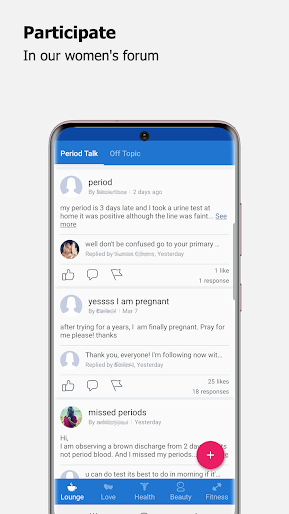
Period and Ovulation Tracker screenshot 1
Period and Ovulation Tracker screenshot 2
Period and Ovulation Tracker screenshot 3
Period and Ovulation Tracker screenshot 4
Period and Ovulation Tracker screenshot 5
Period and Ovulation Tracker screenshot 6
Period and Ovulation Tracker screenshot 7
Period and Ovulation Tracker screenshot 8

Design Analysis

Visual Design

Style: Material Design

Colors:
accent
primary
secondary
Tab navigation (Bottom)Circular progress indicatorCalendar viewList-based loggingBar charts

Key Features Shown

  • Period Prediction
  • Ovulation Calculator
  • Daily Health Logging
  • PIN Security
  • Body Temperature Charting

App Insights

Target: Women and individuals with menstrual cycles looking for a minimalist, non-account-based tracking solution.

Monetization:
  • Mobile Advertising (Admob/Facebook)
  • Data Insights (Aggregated)

ASO Keywords:

PeriodOvulationTracker

About Period and Ovulation Tracker

PERIOD TRACKER Bloom: - period tracker - expected period calculator  - average period calculator  - monthly periods chart - notes tracker - periods notifications MENSTRUAL CYCLE TRACKER: - menstrual cycle tracker - average menstrual cycle calculator - menstrual cycle charts FERTILITY & OVULATION CALCULATOR: - ovulation calculator - intimacy tracker and charts - fertility calculator Enjoy with your Bloom Tracker

Create screenshots like Period and Ovulation Tracker

Use FlyerBanana's free editor to create professional App Store screenshots inspired by Period and Ovulation Tracker's design. 100+ templates, device frames, and one-click export.

More Health & Fitness Apps

View all

Frequently Asked Questions

How can I create screenshots like Period and Ovulation Tracker?
You can create App Store screenshots inspired by Period and Ovulation Tracker using FlyerBanana's free screenshot editor. Choose from 100+ templates, customize colors, text, and device frames, then export in all required sizes.
What screenshot sizes does Period and Ovulation Tracker use?
Period and Ovulation Tracker uses standard App Store screenshot sizes including 6.7" (1290×2796px), 6.5" (1284×2778px), and 5.5" (1242×2208px) for iPhones. FlyerBanana supports all required sizes with one-click export.
Can I use Period and Ovulation Tracker's screenshot style for my app?
Yes! While you shouldn't copy screenshots directly, you can use Period and Ovulation Tracker's design patterns as inspiration. FlyerBanana's templates let you create professional screenshots with similar layouts, color schemes, and visual styles.
What makes good Health & Fitness app screenshots?
The best Health & Fitness app screenshots clearly showcase key features, use consistent branding, include compelling copy, and follow App Store guidelines. Browse our Health & Fitness inspiration gallery to see what top apps do well.