

App Store Screenshots (8)




Design Analysis
Visual Design
App Insights
About PDF Scanner・Document Scanner
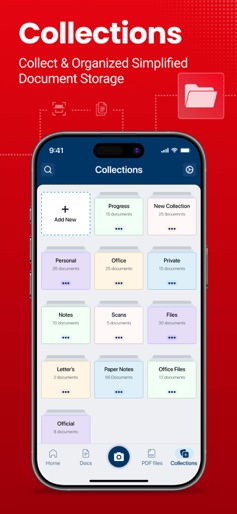
-PDF Scanner -Document Scanner -Files -Easy to use -Scanner all docs In a world where paperwork seems to never end, the PDF scanner app is the solution you've been searching for. Say goodbye to cluttered desks and disorganized files - with this PDF Scanner app, you can scan, store, and manage all of your important documents with ease. PDF app stands out from the rest thanks to its innovative and user-friendly design. The scanning process is quick and seamless, making it easy to digitize any document in just a few taps. This app uses advanced technology to auto-crop and enhances the image for optimal readability. Plus, you can even save scans in different file formats to fit your needs. Create folders and tag documents to organize all your scans. Find documents in your scanned library easily by name, tag, or folder. PDF Scanner - Document Scanner has all the features you need • Automatically removes the messy background. • Shadow removal and defect cleanup. • Photo Scan enhances the scan quality. • You can edit the file after saving it. • Scan Docs and print with Scan to PDF. • Create PDF Scan files in different sizes. • Arrange your docs in folders and subfolders. • Dropbox, Evernote, Drive, or more. • A multi-page Camera Scanner to run fast. How to scan: • Choose the Camera or pick photos from the gallery. • Crop it by using 8 points multi-selection tool. • Enhance the quality of an image by applying filters. • Export to PDF or JPEG if required. We have: • Scan Docx. • Scan ID Card. • Scan Book. • Scan ID Photo. These features are perfect for those on the go, as you can access your documents from anywhere, at any time. So why wait? Download our PDF scanner app today and start simplifying your life. Say goodbye to clutter and hello to an organization with our top-of-the-line app. Terms of Use: https://www.apple.com/legal/internet-services/itunes/dev/stdeula/ Privacy Policy: https://www.freeprivacypolicy.com/privacy/view/50c5621471755f1548917ebbe5e90160
Create screenshots like PDF Scanner・Document Scanner
Use FlyerBanana's free editor to create professional App Store screenshots inspired by PDF Scanner・Document Scanner's design. 100+ templates, device frames, and one-click export.











