
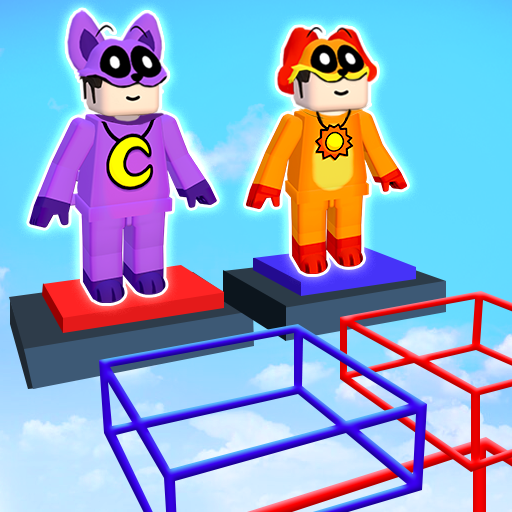
Parkour Master: Obby Games icon

Parkour Master: Obby Games

H2T GLOBAL PTE. LTD.

Action
4.6(26.2K ratings)
Free
Create Screenshots Like Parkour Master: Obby Games

App Store Screenshots (9)

Parkour Master: Obby Games screenshot 1
Parkour Master: Obby Games screenshot 2
Parkour Master: Obby Games screenshot 3
Parkour Master: Obby Games screenshot 4
Parkour Master: Obby Games screenshot 5
Parkour Master: Obby Games screenshot 6
Parkour Master: Obby Games screenshot 7
Parkour Master: Obby Games screenshot 8
Parkour Master: Obby Games screenshot 9

Design Analysis

Visual Design

Style: Custom

Colors:
accent
primary
secondary
Dual-joystick controlsTop-center status indicatorsRight-side ad-trigger buttonsProgress bar with finish flag

Key Features Shown

  • Color Block challenge mode
  • Progress tracking bar
  • Ad-supported power-ups (Jetpack, Shoes)
  • Voxel-based character customization
  • The Floor is Lava mode

App Insights

Target: Young mobile gamers, specifically fans of Roblox 'Obby' (obstacle course) style games and casual parkour enthusiasts in emerging markets.

Monetization:
  • Interstitial ads
  • Rewarded video ads for power-ups
  • Banner ads

ASO Keywords:

ParkourMasterObbyGames

About Parkour Master: Obby Games

Dive into the stunning world of Parkour, the ultimate parkour game that takes you to the heart of the cityscape! Experience the thrill of urban acrobatics as you leap, climb, and sprint through stunning environments. ☄️GAME FEATURES☄️ 👟Three different game modes: Obby, Lava mode and Color Block mode. You will win once you are the last player who hits the final destination. 👟Easy gameplay and friendly interface 👟Gorgeous 3D graphics and stunning sound system 👟 Smooth and intuitive controls for an immersive parkour experience. 👟Character customization is available: you can personalize your own player with unique outfits and accessories Step into the shoes of a parkour master and conquer the most challenging obstacle courses. Create your style of parkour and embark on an epic parkour adventure!

Create screenshots like Parkour Master: Obby Games

Use FlyerBanana's free editor to create professional App Store screenshots inspired by Parkour Master: Obby Games's design. 100+ templates, device frames, and one-click export.


More Action Apps

View all

Frequently Asked Questions

How can I create screenshots like Parkour Master: Obby Games?
You can create App Store screenshots inspired by Parkour Master: Obby Games using FlyerBanana's free screenshot editor. Choose from 100+ templates, customize colors, text, and device frames, then export in all required sizes.
What screenshot sizes does Parkour Master: Obby Games use?
Parkour Master: Obby Games uses standard App Store screenshot sizes including 6.7" (1290×2796px), 6.5" (1284×2778px), and 5.5" (1242×2208px) for iPhones. FlyerBanana supports all required sizes with one-click export.
Can I use Parkour Master: Obby Games's screenshot style for my app?
Yes! While you shouldn't copy screenshots directly, you can use Parkour Master: Obby Games's design patterns as inspiration. FlyerBanana's templates let you create professional screenshots with similar layouts, color schemes, and visual styles.
What makes good Action app screenshots?
The best Action app screenshots clearly showcase key features, use consistent branding, include compelling copy, and follow App Store guidelines. Browse our Action inspiration gallery to see what top apps do well.



