

App Store Screenshots (3)


Design Analysis
Visual Design
App Insights
About Parallel Space - Dual Account
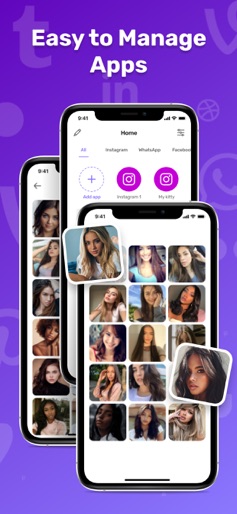
Create a parallel space in the phone to run the multi accounts of the same app simultaneously. Parallel Space - Dual Account is the new app we released recently. It provides features that clone one app multiple times. Unlimited multiple accounts and keep them all online at the same time. Did you have to frequently switch different social accounts of the same app on your phone? Have you ever used two or more phones to keep your accounts online just in case of missing any messages from WhatsApp? Parallel Space - Dual Account has been released! It can perfectly solve your problem! You can easily use one phone to log in to multiple accounts and keep them all online at the same time! And you don’t need to worry about the message reception and data storage problems of different accounts, because they will work independently and with no interference from each other. - Keep multiple social accounts logged in simultaneously. - Keep your personal accounts and work accounts both online at the same time, and you can balance life and work efficiently. - Almost all social apps support a second account in Parallel Space - Dual Account. - Data from different accounts will not interfere with each other. Privacy Policy https://telegra.ph/Privacy-Policy-11-22-24 Terms of Use https://telegra.ph/Terms-of-Use-11-22
Create screenshots like Parallel Space - Dual Account
Use FlyerBanana's free editor to create professional App Store screenshots inspired by Parallel Space - Dual Account's design. 100+ templates, device frames, and one-click export.
More Productivity Apps
View all

Microsoft Outlook
Productivity


AVG AntiVirus & Security
Productivity


Screen Recorder - XRecorder
Productivity


Opera: Private Web Browser
Productivity


Parallel Space - app cloning
Productivity


Duolingo - Language Lessons
Productivity