
App Store Screenshots (6)

Design Analysis
Visual Design
App Insights
About Minutes: AI Meeting Note Taker
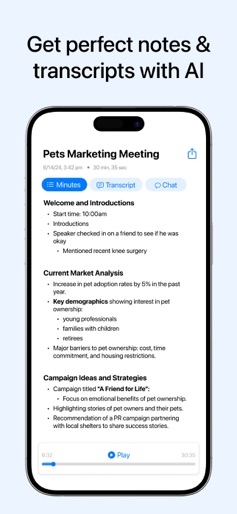
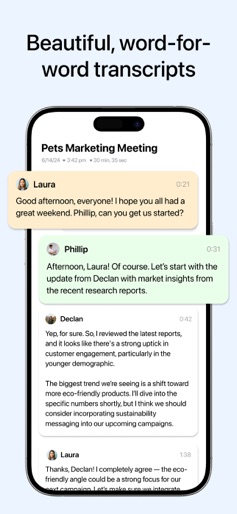
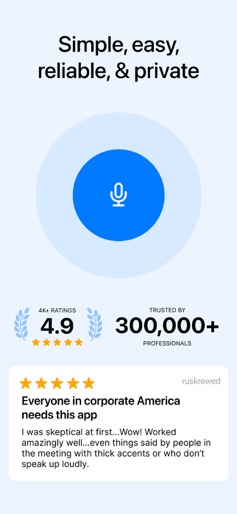
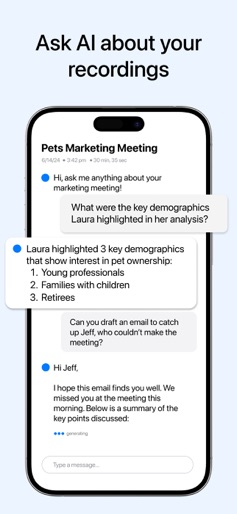
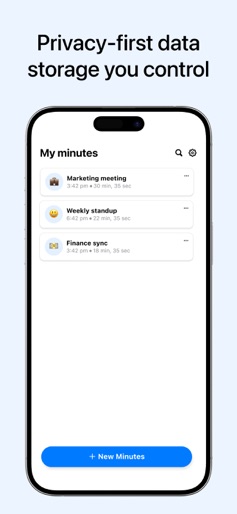
Minutes AI automatically does your meeting notes and transcriptions with AI. Minutes records audio and provides word for word transcripts with speakers labels. Then, it gives you formatted notes, summaries, and the ability to search for key terms/topics. You can ask questions like “What stats did Laura reference on her slide?.” Minutes takes care of your notes so you can stay focused on what’s important. It's build with privacy in mind, meaning Minutes will never sell or provide third-party access to your data. Minutes is great for: - Taking meeting notes automatically, and easily sharing with your coworkers - Recording and transcribing interviews, lectures, podcasts, videos, YouTube videos, webinars, keynotes - Providing live captioning to the deaf and managers with a quiet microphone Record & Transcribe Live - Start recording with one click - Specify keywords (uncommon words, terms, acronyms, names, etc.) for Minutes AI to listen for - Specify transcription and summary languages (eg transcribe in Spanish, take notes in English) - Get a highly accurate live transcription with labeled speakers - See a list of key points to review later - Ask questions and chat with the recording using AI AI Notes Formatting - Automatic punctuation, capitalization, and line breaks - Search for important words from the audio - Edit the text to fix any mistakes Terms of Use: https://legal.myminutes.ai/terms-of-use Privacy Policy: https://legal.myminutes.ai/privacy-policy
Create screenshots like Minutes: AI Meeting Note Taker
Use FlyerBanana's free editor to create professional App Store screenshots inspired by Minutes: AI Meeting Note Taker's design. 100+ templates, device frames, and one-click export.











