
App Store Screenshots (8)


Design Analysis
Visual Design
App Insights
About Maze for Kids
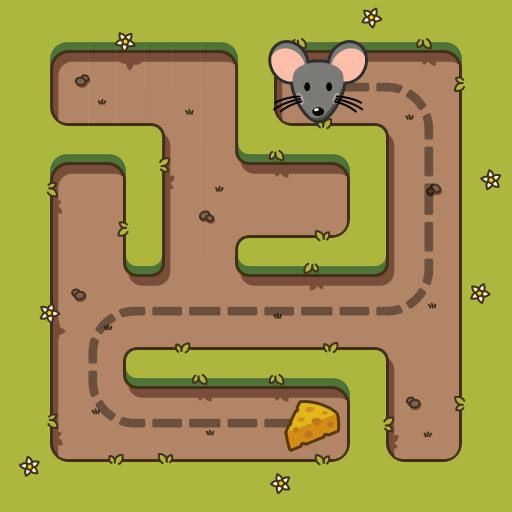
A cute maze game suitable for all ages! The are multiple maze sizes to choose from, so even the youngest children can play the game. As they improve their skills, they can try more difficult mazes. Do you think this game is only for kids? Give it a try even if you are an adult! You'll be amazed how relaxing the gamplay is. All mazes are procedurally generated, so you won't solve the same maze twice! You can choose from twelve characters to play with: • Gizmo the mouse is hungry and smells some cheese! • Pepper the cat is looking for her toy! • Bonnie the dog wants to play fetch! • Hank the bee is on his way to a flower! • Toby the monkey always ready for a banana! • Pumpkin the bunny loves carrots! • Trixie the dinosaur lost her egg! • Jimmy the worm is searching for an apple! • Rudolph the reindeer is looking for his favourite candy! • Bubo the owl is trying to get a diploma! • Pickle the frog is going home to her kids! • Spike the hedgehog is on a mushroom hunt! There are twelve totally different maze themes, so you never get bored. You can try all sizes, characters and themes, but a one time in-app purchase is required to unlock them all. This game does not contain any ads and does not collect any personal information about you. If you or your child likes the game, please leave a review. If you don't like it or if you found a bug, please let us know, so we can improve the game. Have fun!
Create screenshots like Maze for Kids
Use FlyerBanana's free editor to create professional App Store screenshots inspired by Maze for Kids's design. 100+ templates, device frames, and one-click export.
More Casual Game Apps
View all

Kick the Buddy-Fun Action Game
Casual Game


BlockPuz: Block Puzzle Games
Casual Game

Johnny Trigger: Action Shooter
Casual Game


sand:box
Casual Game


Freaky Stan Interactive Story
Casual Game


Cookingdom
Casual Game