

App Store Screenshots (5)
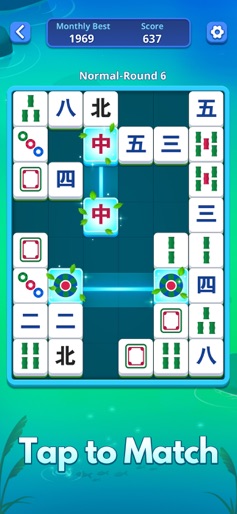
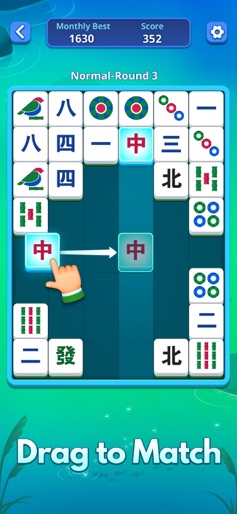


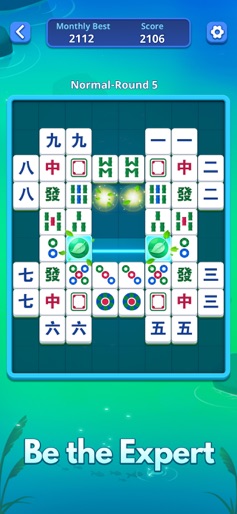
Design Analysis
Visual Design
Style: Custom
Key Features Shown
- •Classic Mahjong Tiles
- •Modern UI Overlays
- •Progress Tracking
- •Theme Customization
- •Difficulty Levels
App Insights
Target: Casual puzzle gamers looking for stress relief, brain training enthusiasts, and fans of classic tile-matching games.
- •Interstitial ads
- •Rewarded video ads
ASO Keywords:
About Mahjong Slide: Zen
Step into the world of Mahjong Slide: Zen, where relaxation and entertainment come together in a fun mahjong matching experience. This exciting game offers endless play in a calm and friendly setting, ideal for relaxing after a busy day or giving your brain a workout. It turns leisure time into moments of discovery and enjoyment. Why choose Mahjong Slide: Zen - Peaceful Enjoyment: Immerse yourself in a calm and relaxing environment that makes playing Mahjong Slide: Zen, a joy. This game is designed to bring you happiness and relaxation every step of the way. - Adaptable Challenges: Whether you're beginner or experienced, it has diferent levels for players: Normal, Hard, and Expert. Each level is crafted to match your skill and keep your mind active. - Helpful Guidance: Need help finding your next move? Helpful hints are provided to guide you through tough spots, ensuring you can solve puzzles without frustration. - Inventive Gameplay: Enjoy thousands of levels that offer endless fun and unique challenges. Each level is designed to keep you interested and wanting to play more. - Diverse Styles: Make your gaming experience more exciting with different themes and backgrounds. It lets you customize your play, making each session visually refreshing. - Train Your Brain: Challenge your mind and improve your thinking skills with various difficult levels. It offers not just entertainment but also a chance to train your brain. - Play Anywhere, Anytime: Enjoy gaming without timers or pressure. Play offline on any device, like a phone or tablet, without needing Wi-Fi. Your ideal escape is always ready for you. How to Play - Tile Matching: match unblocked tiles vertically and horizontally to clear them and enjoy strategic gameplay. - Tile Movement: Drag tiles to their suitable spots, controlling every move with precision. - Score Breaking: Push yourself to beat your previous scores, adding excitement to each game. - Smart Assistance: Use hints to find hidden spots and make better choices. - Victory Awaits: Clear the board to win and feel the satisfaction of your success. Experience the exquisite journey Mahjong Slide: Zen, offers, inviting you to explore a world filled with wonder and delight. Embark on this remarkable mahjong adventure and discover the joy of endless possibilities! Contact us Contact us via playfulbytes.CustomerService@outlook.com Contact phone number: +852 56433797 Privacy Policy: https://sites.google.com/view/grabjoy-limited Terms of Service: https://sites.google.com/view/eula-of-grabjoy-limited
Create screenshots like Mahjong Slide: Zen
Use FlyerBanana's free editor to create professional App Store screenshots inspired by Mahjong Slide: Zen's design. 100+ templates, device frames, and one-click export.






