
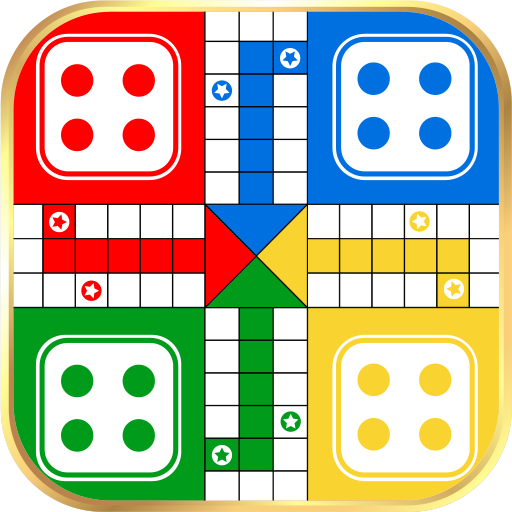
App Store Screenshots (8)



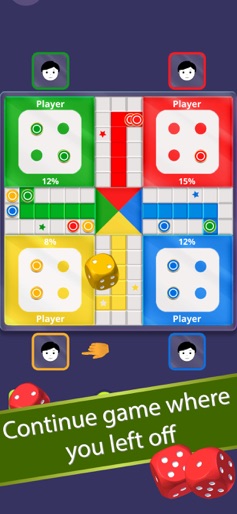

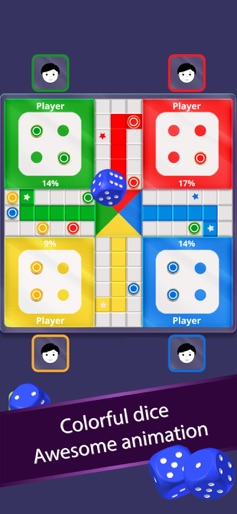


Design Analysis
Visual Design
Style: Custom
Key Features Shown
- •Computer vs Local mode
- •Player count selection
- •Color customization
- •Multilingual menu
- •Game progress percentage
- •Save/Resume game
App Insights
Target: Casual mobile gamers and families in emerging markets looking for low-data, offline-capable traditional board games.
- •In-App Purchases (IAP)
- •Advertising (likely, given the high download/low revenue ratio)
- •Remove Ads
ASO Keywords:
About Ludo
Enjoy playing the best offline version of the Ludo game anytime anywhere with your friends and family. Ludo is fun to play a multiplayer board game that can be played between 2, 3 or 4 players. It is the most popular and fun game to play with family and friends. Ludo is a mind refreshing game with its lucky dice rolls and strategical gameplay. This interesting 2D Ludo game has been around us for a long time as the best game to play in our spare time. How the Ludo game works: Ludo game starts with four tokens placed in each player's starting box. A dice is rolled in turns by each player during the game. The player's token will be placed on the starting point when a 6 is rolled on the dice. The main goal of the game is to take all 4 tokens inside the HOME area before the other opponents. Basic rules of Ludo game: - A token can start to move only if the dice rolled is a 6. - Each player gets a turn wise chance to roll the dice. And if the player rolls a 6, they will get another chance to roll the dice again. - All the tokens must reach the center of the board to win the game. - The token move clock-wise according to the number of rolled dice. - Knocking out other's token will give you an extra chance to roll the dice again. Game features: Single Player - Play against the computer. Local Multiplayer - Play with friends and family offline. Play 2 to 4 players. You can continue your game anytime. Multi-colored dice for each player. Real Ludo dice roll animation. View the progress of each player in percentage. Throw dice or roll instantly. Shake your phone to roll the dice option. Customize game speed yourself. Easy single menu player selection. Play the Ludo game in your native languages. English, Hindi, Nepali, Spanish, Portuguese, French, Arabic, Turkish, Russian, German, Italian, Thai, Vietnamese & Indonesian languages are supported in this Ludo game. Enjoy playing the best offline version of the Ludo game anytime anywhere with your friends and family. The multiplayer version of this game is coming soon, so stay tuned. Some of the people misspell "Ludo" as Lodo, Ledo, Lido, Loodo, Loado, Ludu, Lodu. We hope you enjoy playing this Ludo (or, Fia, Fia-spel, Chevaux, Cờ cá ngựa, Le Jeu de Dada, Non t'arrabbiare, Petits Chevaux, Ki nevet a végén, लूडो ) whatever you call it in your language. Please send us your feedback, and we'll try to improve the game performance as per your requirements. Thank you for playing Ludo and do check out our other games.
Create screenshots like Ludo
Use FlyerBanana's free editor to create professional App Store screenshots inspired by Ludo's design. 100+ templates, device frames, and one-click export.






