

App Store Screenshots (7)




Design Analysis
Visual Design
App Insights
About LiveMe – Live Stream & Go Live
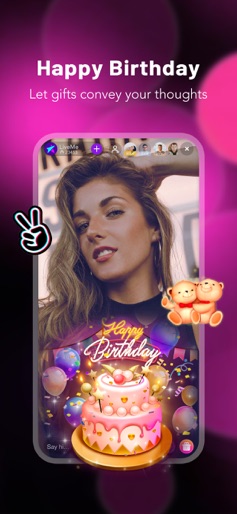
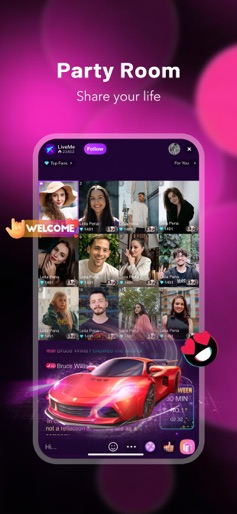
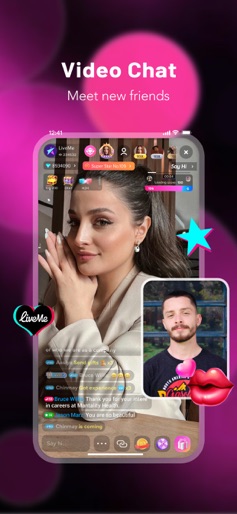
Find Your Crowd on LiveMe! Join millions worldwide on LiveMe, the ultimate live streaming and video chat app. Watch incredible live streams, connect with a global community, and share your talents from anywhere. Make new friends, grow vibrant communities, and enjoy endless entertainment from top-tier creators. Download LiveMe today and step into a world of creativity, connection, and fun—all from the comfort of your phone. # Go Live – Your Stage Awaits! Take center stage and start streaming with just one tap! Endless Possibilities: Chat, sing, dance, cook, game, and more. Showcase your creativity in real-time! Talents: Show your talents, gain followers, and become a star Creator. Trendy Filters & Effects: Use fun stickers and vibrant filters to bring your live streams to life. # Watch Live Broadcasts – Anytime, Anywhere Dive into a world of entertainment on our 24/7 live streaming network: Talented Creators: From singers and dancers to comedians, watch thousands of unique streams. Viral Trends: Stay up-to-date with trending challenges and explore content tailored just for you. # Interactive Features for Ultimate Fun Live PK Challenges Compete in exciting Head-to-Head (H2H) PK battles: Creators compete live, earning points from gifts sent by viewers. Support your favorites during international PK competitions! # Live Game Streaming Watch epic gaming live streams or join our interactive gaming battles: Tune into popular games like League of Legends, PUBG, FIFA, and more. Try our revolutionary new format, War of Kings, for an unforgettable gaming experience. # Customize & Connect Dynamic Filters & Stickers: Transform your look with cute animal faces, fun crowns, and animated effects. Share Moments: Invite friends from Instagram, Snapchat, or Twitter to watch your live streams. Group Communities: Build and join groups based on shared hobbies and interests. LiveMe Subscription Plans – Exclusive Perks and Features Me+ Membership Weekly: $4.99 Monthly: $17.99 Quarterly: $44.99 Me+ Gold Premium Membership Weekly: $9.99 Monthly: $34.99 Quarterly: $89.99 # LiveMe Subscriptions – Unlock Exclusive Perks LiveMe Gold Subscription Showcase your unique style with NFT-powered avatars and exclusive hexagon frames! Subscription Fee: $2.99/month LiveMe Creator Subscription Support your favorite creators and enjoy exclusive perks: Access premium content and closer interactions for just $4.99/month. Manage or cancel subscriptions anytime through your app store settings. https://www.liveme.com/protocol/terms.html Why LiveMe? Global Community: Connect with millions of users worldwide. Endless Creativity: Share your talents and explore trending content. Safe & Secure: Our advanced moderation tools create a welcoming and secure space for everyone. Fun Features: From PK battles to game streaming, there’s something for everyone. Download LiveMe Today! Join the leading live streaming platform and unlock a world of creativity, connection, and entertainment. Be a Creator, a trendsetter, and part of a global movement. LiveMe – My Stage, My Crowd!
Create screenshots like LiveMe – Live Stream & Go Live
Use FlyerBanana's free editor to create professional App Store screenshots inspired by LiveMe – Live Stream & Go Live's design. 100+ templates, device frames, and one-click export.
More Entertainment Apps
View all

YouTube
Entertainment


Spotify: Music and Podcasts
Entertainment


TikTok - Videos, Shop & LIVE
Entertainment


Pandora: Music & Podcasts
Entertainment


Shazam: Find Music & Concerts
Entertainment


Photo Lab Picture Editor & Art
Entertainment