

App Store Screenshots (6)
Design Analysis
Visual Design
App Insights
About Lisa AI: AI Dance Video Maker
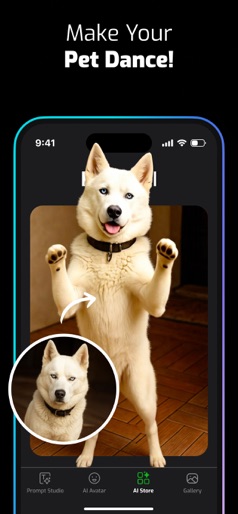
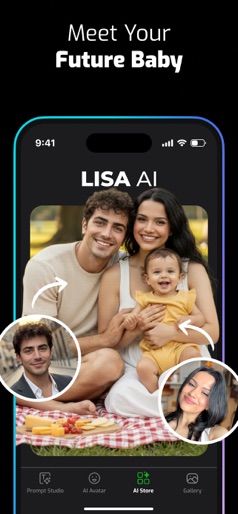
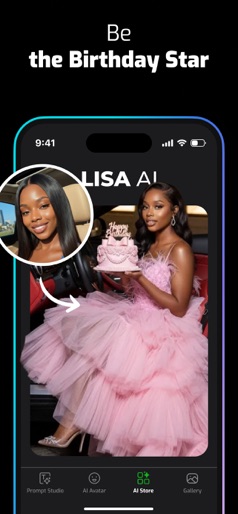
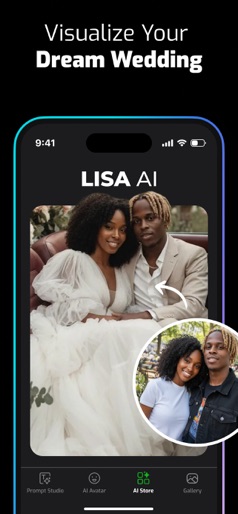
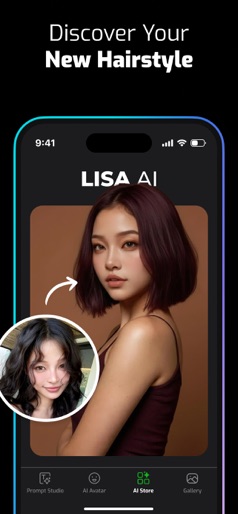
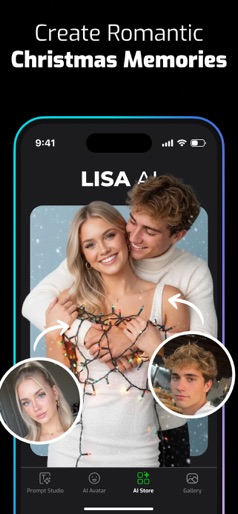
Make your cat breakdance or your baby groove! New: Advanced Baby & Pet Dance styles are here. Don’t just look at photos, make them move. Download & animate now! Discover the boundless potential of artificial intelligence with Lisa! Our cutting- edge AI technology operates seamlessly in the background, delivering stunning results tailored to your preferences. Unleash your creativity effortlessly through Lisa's intuitive interface. Explore Lisa's capabilities: AI Avatar: Explore an extensive selection of avatar styles, constantly refreshed with new additions almost every week. Embark on adventures through time with your partner, envision yourself as royalty, or select holiday-themed outfits. Simplify the process by creating profiles for yourself, family, and friends, making avatar generation a seamless experience with just a few clicks. Text-to-Art: Transform your words into captivating visual art! Describe your desired scene, whether it's a canine astronaut or an underwater world, and watch as Lisa brings your imagination to life with stunning imagery. Image-to-Art: Turn ordinary photos into extraordinary creations! Watch as your friends become superheroes or your pets transform into cartoon characters. Simply upload your images, provide a text prompt, and let Lisa work its magic. Video Effects: Elevate your favorite videos with AI-enhanced styles! Dance like an ancient statue or perform in front of a medieval castle – the possibilities are endless with Lisa's dynamic video effects. Deforum: Create engaging animations from your photos and videos! Produce content that's sure to captivate social media audiences and stand out from the crowd. Our dedicated team of developers is committed to staying at the forefront of AI technology, continuously updating the app with exciting new features. Join us on this journey of innovation with Lisa! About Subscriptions We offer in-app purchases and 3-day / 7-day free trial for Lisa AI premium version! The premium version provides benefits such as unlimited drawing creation, faster processing speed, more styles and discounts on avatar packs. You can purchase a weekly subscription for a short-term trial. To enjoy more of Lisa AI privileges, we recommend purchasing an annual subscription or lifetime package. The cost will vary from country to country, but will be charged to your iTunes account. You will be able to see the fee amount before completing the purchase. Subscriptions with in-app purchases will renew according to the renewal schedule of the selected payment plan. To terminate automatic subscription renewal, you must uncheck automatic subscription renewal at most 24 hours before your subscription expires. You can cancel your automatic subscription renewal at any time in your iTunes account settings. Privileges not used during the free trial period, if any, expire when the user purchases a subscription to that publication. Privacy Policy: https://lisaai.app/privacy.pdf Terms of Service: https://lisaai.app/terms.pdf
Create screenshots like Lisa AI: AI Dance Video Maker
Use FlyerBanana's free editor to create professional App Store screenshots inspired by Lisa AI: AI Dance Video Maker's design. 100+ templates, device frames, and one-click export.
More Entertainment Apps
View all

YouTube
Entertainment


Spotify: Music and Podcasts
Entertainment


TikTok - Videos, Shop & LIVE
Entertainment


Pandora: Music & Podcasts
Entertainment


Shazam: Find Music & Concerts
Entertainment


Photo Lab Picture Editor & Art
Entertainment