

App Store Screenshots (15)


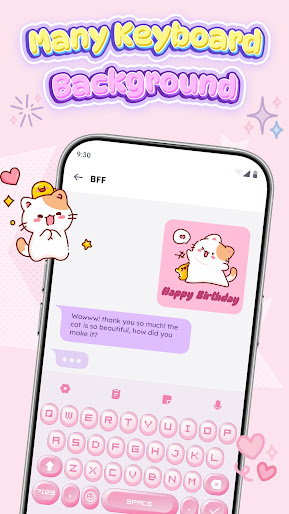


Design Analysis
Visual Design
Style: Custom
Key Features Shown
- •DIY Customization
- •Kawaii/Cat Themes
- •Anime/Gaming Backgrounds
- •Chat Preview
- •Font Variety List
App Insights
Target: Gen Z and young millennials interested in personalizing their mobile devices with aesthetic, anime, and K-pop styles.
- •Interstitial ads
- •Rewarded video ads for unlocking premium themes
- •Banner ads
ASO Keywords:
About Keyboard Themes: Emoji Fonts
Keyboard Theme: LED Neon Maker is unlock a world of anime, kpop fonts, stylish text, fun emoji keyboards, and design keyboard themes to craft your own stunning. Whether you're customizing your keyboard's look or adding a playful touch to your typing experience, this app brings a whole new level of fun and creativity to your device. Key Features: 🔤Dynamic Themes and Customization: Custom your keyboard with RGB, Led, Cute, Cool styles effect, photo store, fonts.Use your own images as keyboard backgrounds or select from our collection. Choose from unique options like festive Christmas themes, or adorable cute designs.... 🎉 Emoji Keyboard Fonts: Offers an extensive selection of unique fonts to enhance your typing experience. With a variety of stylish text options, you can give your keyboard a fresh, personalized look. Whether you're typing casual messages, these diverse font choices ensure your typing is as unique as you are. ⌨️ Fonts and Custom Text Styles: Choose from many fonts that cater to every mood and style. Choose from a wide range of font designs that add a touch of sophistication and creativity to your keyboard, making every typing experience more enjoyable. 🌈 Emojis, Stickers: Express yourself with a wide selection of emojis, emoticons, stickers. 🚀 Colors Keyboard and Personalization: Create neon, RGB, cute, Anime, Kpop your keyboards favourite. 📱 Smooth Typing Experience: Enjoy a seamless typing experience. 🔒 Privacy Focused: Rest assured that your privacy is our top priority. Keyboard Themes never collects personal information or access your photos without your consent. Why Choose Keyboard Theme: LED Neon Maker ? - Many RGB and LED themes layouts with color effects beneath your keys. - Diverse Fonts and custom text styles to make your messages pop. - Constant updates with emojis, emoticons, and stickers. - Personalize with your own images and backgrounds. Express your personality and add a unique touch to your typing experience with a customized keyboard. Download Keyboard Theme: LED Neon Maker and start crafting your own masterpiece!
Create screenshots like Keyboard Themes: Emoji Fonts
Use FlyerBanana's free editor to create professional App Store screenshots inspired by Keyboard Themes: Emoji Fonts's design. 100+ templates, device frames, and one-click export.
More Entertainment Apps
View all

YouTube
Entertainment


Spotify: Music and Podcasts
Entertainment


TikTok - Videos, Shop & LIVE
Entertainment


Pandora: Music & Podcasts
Entertainment


Shazam: Find Music & Concerts
Entertainment


Photo Lab Picture Editor & Art
Entertainment